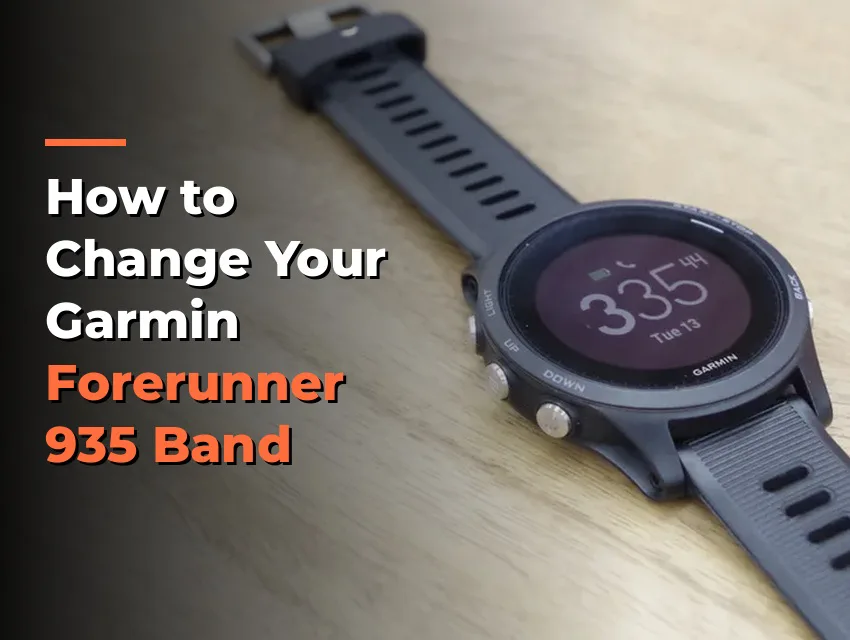
The Garmin Forerunner 935 is one of the few Garmin watches where you need a tool to replace the band, alongside the Forerunner 945 and older screw-pin models like the Forerunner 235. You’ll need two small Torx screwdrivers to loosen the pins before taking the band off.
After that, it depends on the new band. Garmin’s own Forerunner bands go back on with the same two screwdrivers, and compatible QuickFit bands press into place once the pins are back in. The watch takes a 22mm band either way, so any QuickFit 22 band in the Forerunner 935 band range will fit. We’ll walk through both, plus a 20mm adapter if you’d rather wear standard straps.
Key Takeaways
- The Forerunner 935 takes a 22mm band, and it accepts both Garmin’s own screw-pin Forerunner bands and QuickFit 22 bands.
- Buying a band by width alone is the most common mistake on this model, because a 22mm quick-release band won’t attach.
- QuickFit 22 bands made for other Garmin models give you far more choice than one Garmin part.
- You can loosen and remove the band pins with two small Torx screwdrivers, and once the pins are back in, QuickFit swaps need no tools.
- If a band feels loose after a swap, retighten the pins first, since an under-tightened pin is the most common cause.
Why an Ordinary Band Won’t Fit
The Forerunner 935 has a 22mm lug width, so you’ll need a 22mm replacement band. Matching the width isn’t enough on its own, though. You also need a connector type that’s compatible with your watch.
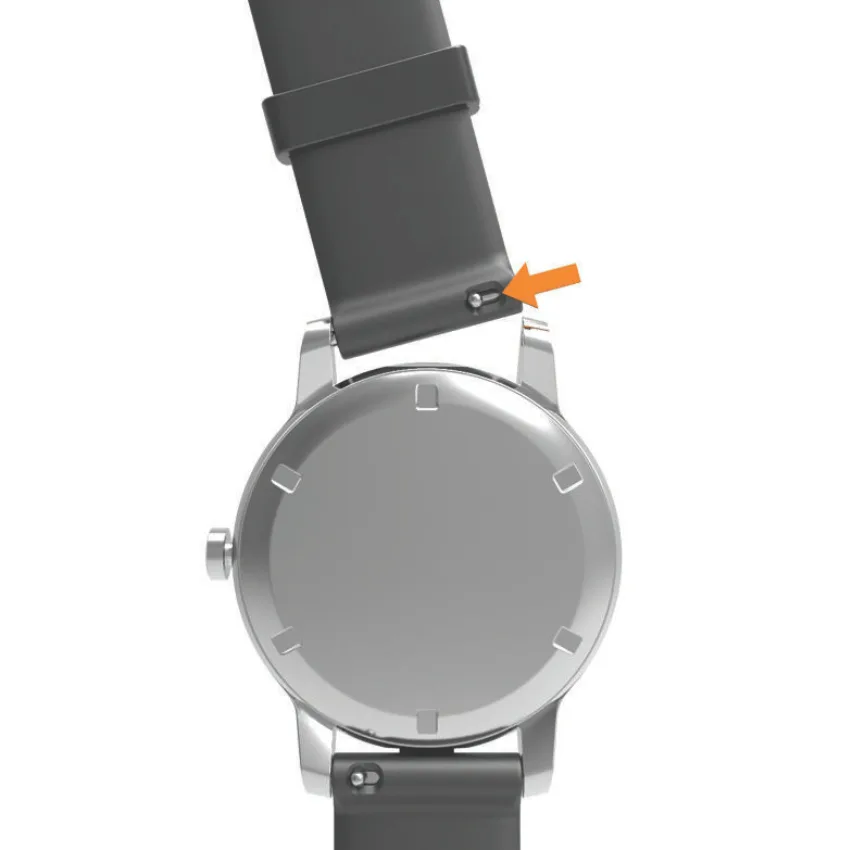
Most Garmin watches use one of two connector types, and between them they cover band widths of 18mm–26mm. A standard quick-release spring bar consists of a small sprung pin that clicks into tiny holes in the lugs, while a QuickFit band has a latch that clips onto a fixed bar between the lugs.
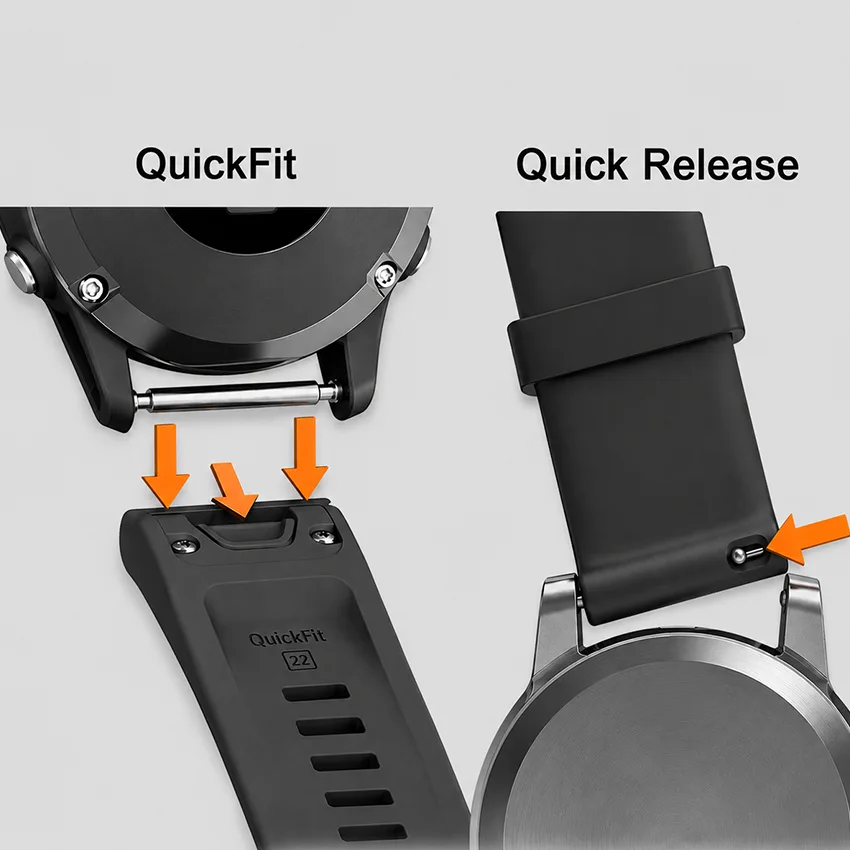
The Forerunner 935 comes with a third kind of connector: a screw pin that needs a tool to remove. Once the original band is off, though, the 935 is compatible with Garmin’s QuickFit line. That means you can replace your Forerunner 935 band with either a QuickFit 22 band or a band built specifically for the Forerunner 935. It isn’t compatible with standard quick-release bands, even ones sized at 22mm, unless you install an adapter.
If you want to double-check, you can measure your watch band size with a ruler in under a minute. Lug widths also vary more across the Garmin lineup than most people expect, so check each model before you shop for a second watch.
What You Need to Change the Band
You can change your Forerunner 935 band with two small Torx screwdrivers. One holds the pin steady while the other turns, so the pin doesn’t spin in place. Most precision screwdriver kits include a small Torx driver, so you may already own one if you’ve bought a kit for glasses or electronics.
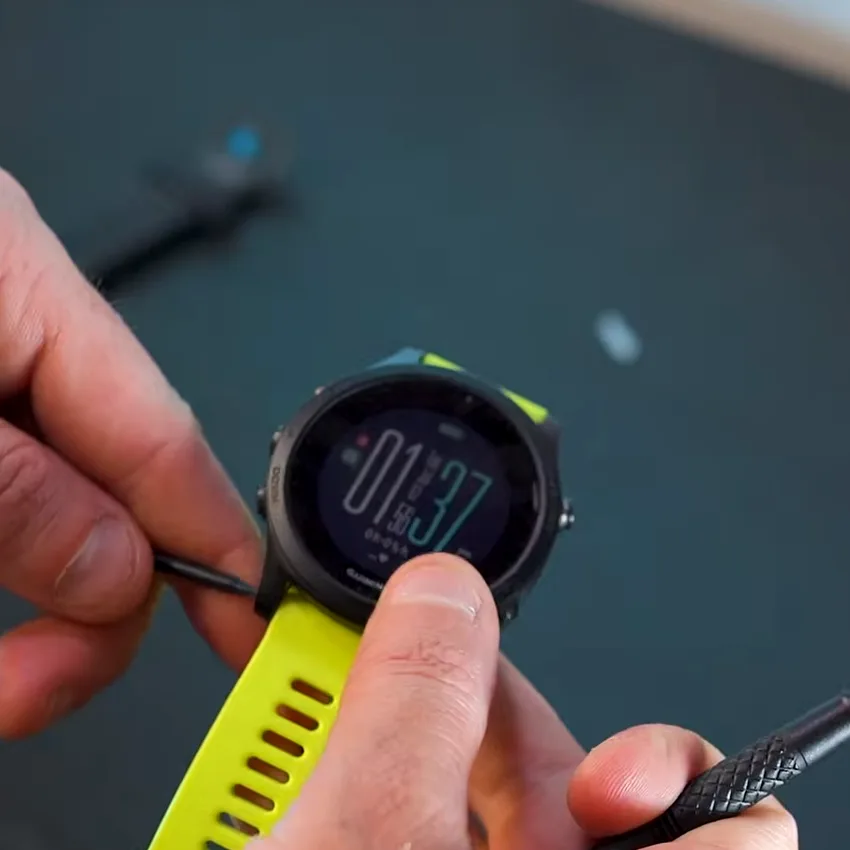
Many replacement bands come with screwdrivers and pins, but check the listing before you order. If yours doesn’t come with the right tools, you can buy replacement screws and Torx screwdriver sets separately.
Make sure each tip sits snugly in the screw head before you turn it. If a tip slips while you turn it, it can strip the head of the screw, which makes the pin much harder to remove. Use the screwdrivers only on the pins to avoid damaging the device or hurting yourself.
How to Remove the Forerunner 935 Band
We recommend changing your strap on a clean, soft surface, like a towel, to avoid scratching your device or losing the pins and screws once they’re out.
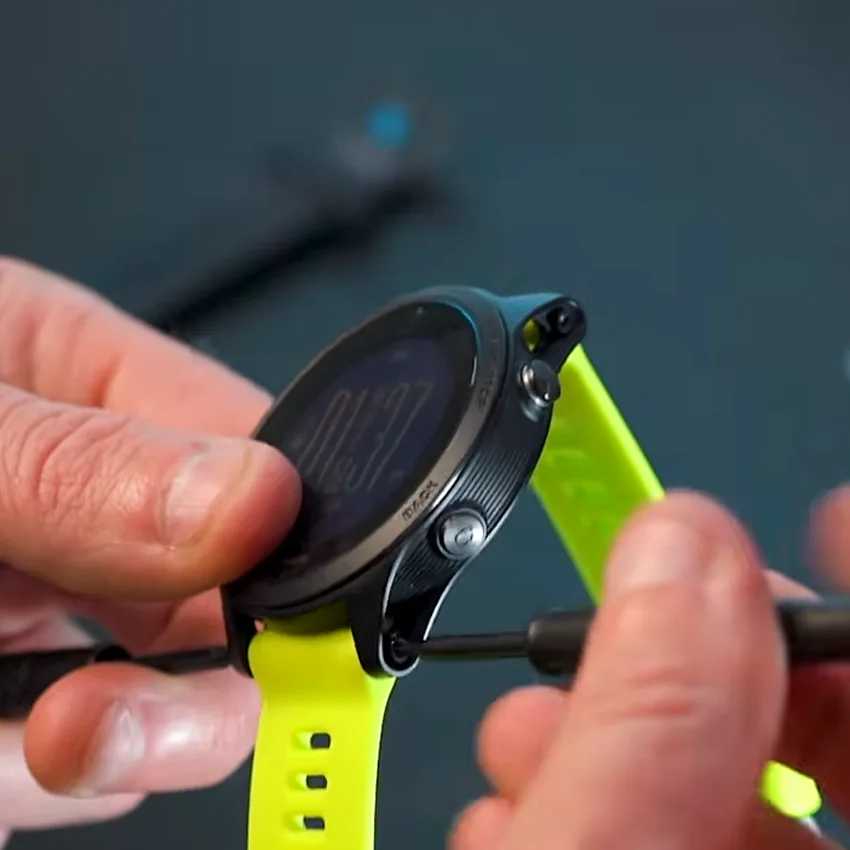
Here’s how to take the out-of-the-box Forerunner 935 band off:
- Turn the watch face down so you can see where the band meets the case.
- Find the screw heads on either side of the case, at each end of the pin.
- Hold the screw head on one side steady with one screwdriver so the pin doesn’t spin.
- Turn the opposite screw counterclockwise with the second screwdriver until it comes free.
- Slide the pin out and lift that end of the band clear of the lug.
- Keep the pin and screws somewhere safe for when you’re ready to replace the band.
- Repeat on the other side.
How to Install a New Garmin Forerunner 935 Band
A Garmin band built for the Forerunner 935 goes on with the same screw pins that held the original. Use the new pins if your band includes them, or reuse the originals if they’re in good shape.
Here’s how to fit it:
- Check the orientation. The buckle half goes at 12 o’clock and the holed half at 6 o’clock.
- Line the band end up between the lugs so its hole matches the holes in the case.
- Push the pin through the case and the band.
- Hold one screw steady and turn the other clockwise until it’s snug.
- Repeat on the other half, then tug both ends before wearing it.
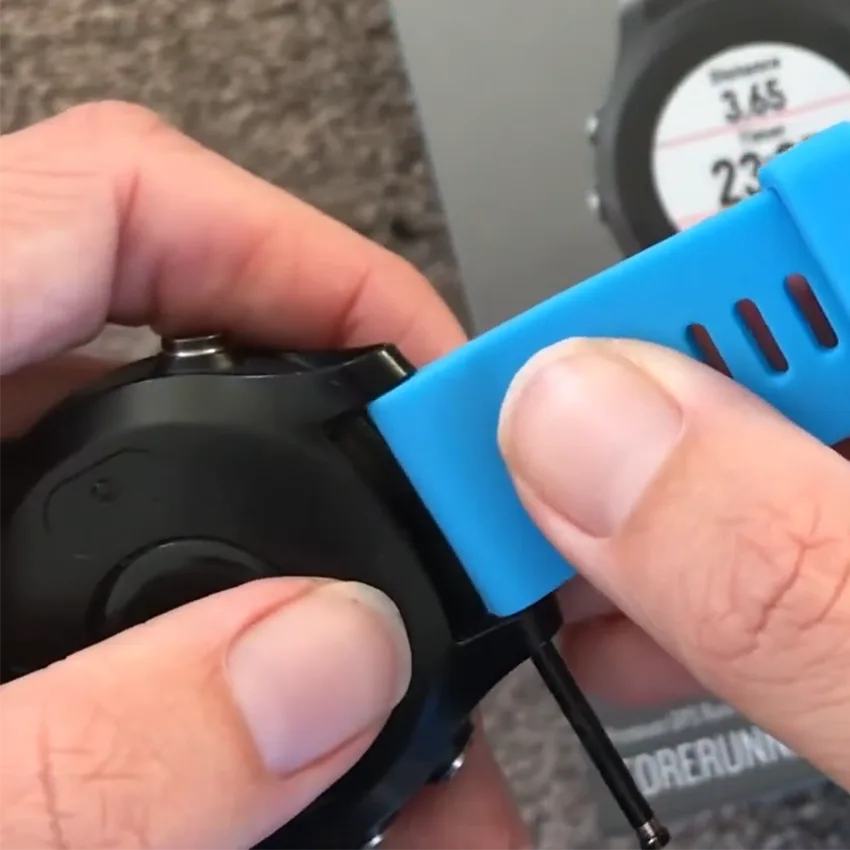
Don’t overtighten. The threads are fine and strip easily, and a snug screw holds just as well as a tight one.
How to Install a QuickFit Band on a Garmin Forerunner 935
QuickFit bands latch onto the watch’s own pin, so the pins go back in first with no band on them. Here’s how to fit one:
- Put each pin back between the lugs and tighten it with the two screwdrivers, with no band attached.
- Line up the QuickFit end with the pin, buckle half at 12 o’clock.
- Press the band down onto the pin until it seats.
- Check that the latch closes over the watch pin.
- Repeat on the other side, then tug both ends before wearing it.
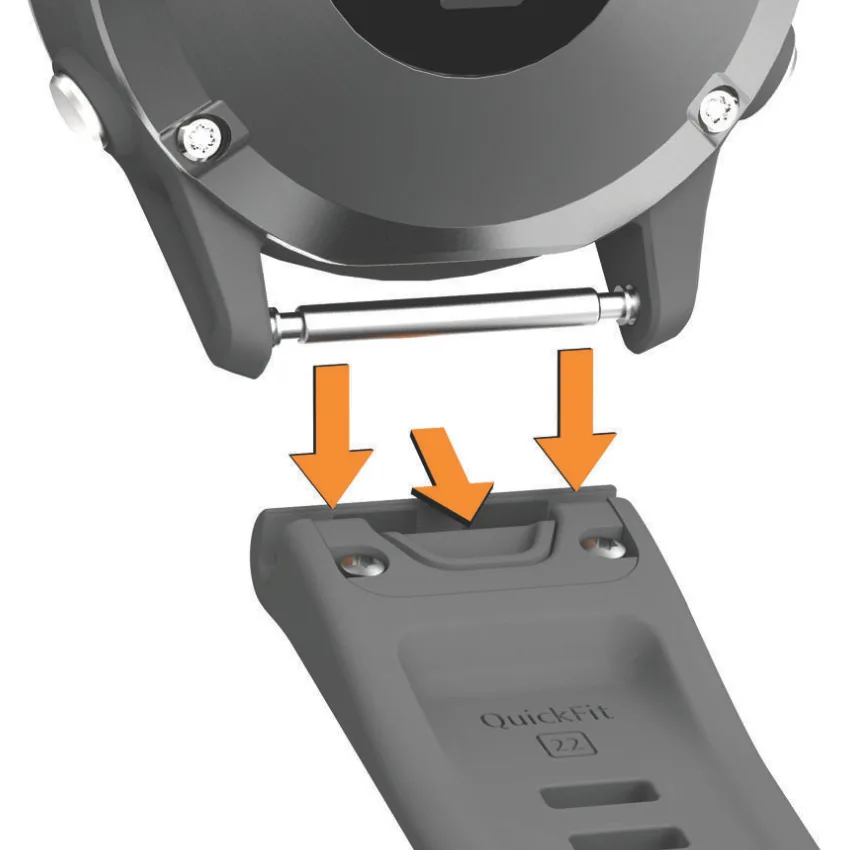
If you’re new to the latch, our guide to installing Garmin QuickFit straps walks through it with photos.
From here on, swapping QuickFit bands is tool-free. To take one off, lift the latch and pull the band away, and the pin stays in the watch. You only need the screwdrivers again if you go back to a screw-pin Forerunner band.
How to Install a 20mm Strap Adapter
An adapter can let the 935 wear standard quick-release straps. The adapter clips onto the watch’s 22mm QuickFit fitting and narrows to a 20mm lug, so it takes 20mm quick-release straps. Our Pro QuickFit adapters for the Forerunner 935 attach exactly like a QuickFit band, so the pins need to be back in the watch first.
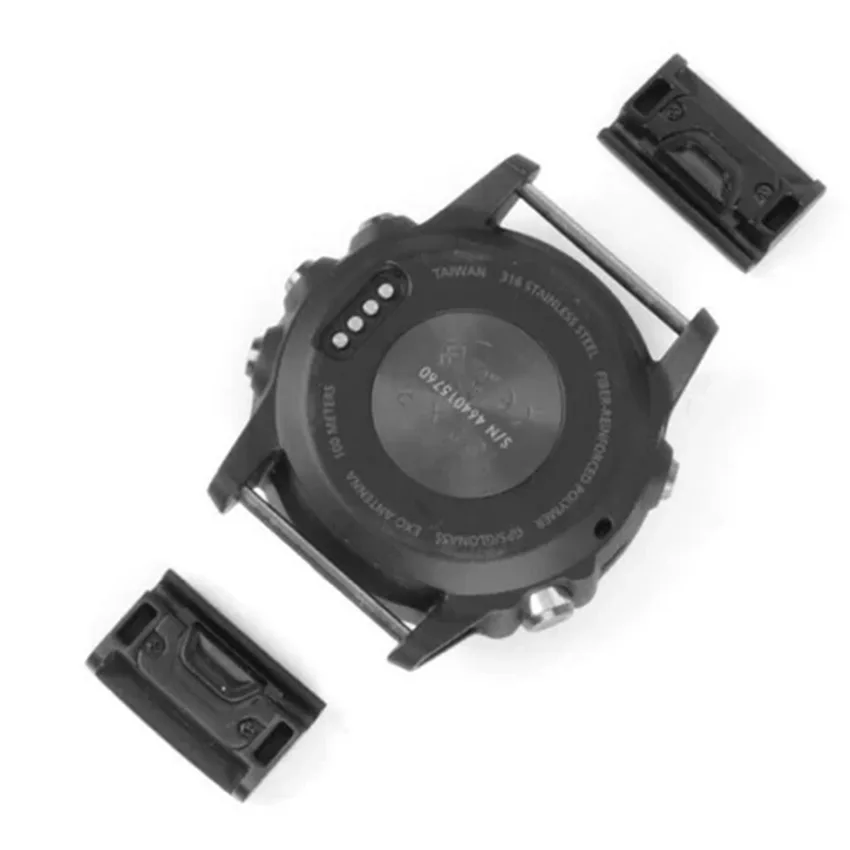
Here’s how to fit them:
- Put the pins back in the watch with the two screwdrivers, as in the QuickFit steps above.
- Hold one adapter with its 20mm end facing away from the watch.
- Press the adapter onto the pin until the latch closes over it.
- Repeat on the other side.
Tug each adapter firmly before you go further. It carries the full weight of the watch, so it needs to be locked down.
How to Install a Standard Quick-Release Band on the Adapter
With the adapters on, a 20mm quick-release strap goes on in seconds without tools. After it’s installed, your watch will be compatible with any 20mm quick-release Garmin band.
Here’s how to install a quick-release strap:
- Orient the band with the buckle half at 12 o’clock and the holed half at 6 o’clock.
- Fit one end of the spring bar into the small hole on the inside of the adapter’s 20mm end.
- Slide the quick-release lever to pull in the other end of the spring bar.
- Line the band up between the sides of the adapter and let go of the lever so the bar clicks into the opposite hole.
- Repeat on the other side, then tug both ends before wearing it.
Troubleshooting Common Forerunner 935 Band Issues
These four problems cover most snags with a Forerunner 935 band.
The Band or Adapter Feels Loose
The most common cause is a pin that isn’t fully tightened. Take the pin out, line the holes up properly, and tighten it again while holding the opposite screw head steady. On a QuickFit band or adapter, also check that the latch has closed over each pin. If a screw won’t tighten, the threads may be worn, and a fresh set of replacement screws usually fixes it.
If an adapter still moves after that, stop using it and replace it, because it carries the whole weight of the watch.
You Ordered a 22mm Quick-Release Band and It Won’t Attach
This is the most common problem, and nothing is faulty. The 935 is built around its screw pins and the QuickFit latch, not a spring bar, so a standard band won’t attach properly, even at 22mm. You have two fixes: exchange it for a QuickFit 22 band or one built for the 935, or fit a 20mm adapter and pair it with a 20mm quick-release strap.
The Original Band Tore Where It Meets the Watch
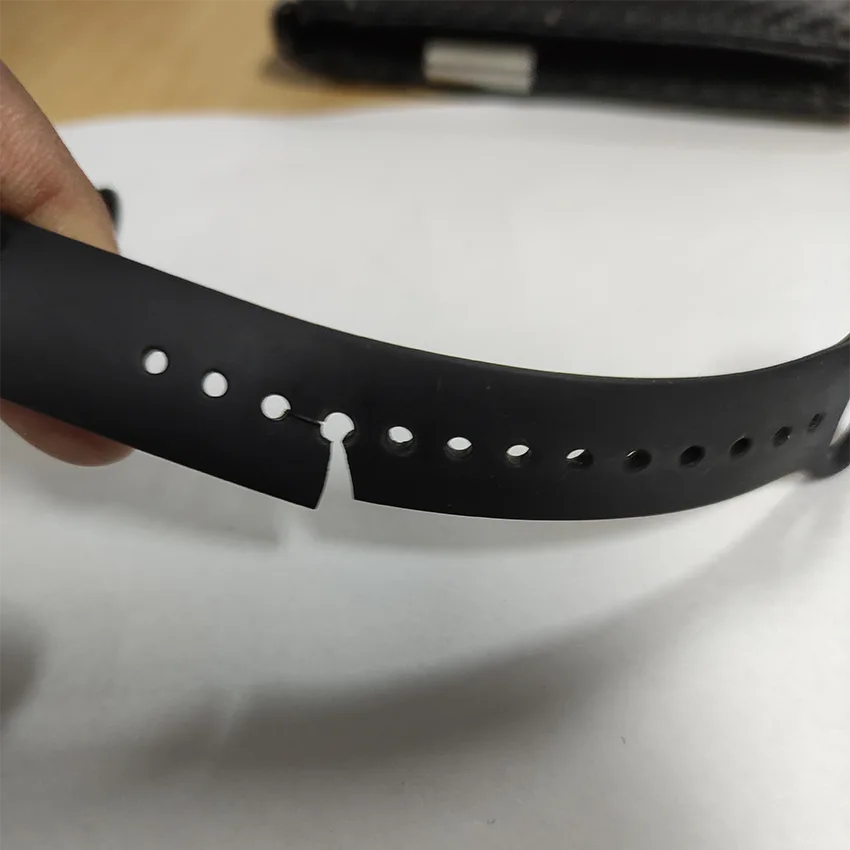
The band flexes hardest right where it attaches to the watch, so that’s usually where the material gives out first. Before you fit a new band or adapter, check that no torn piece is still stuck between the lugs, or the new part won’t sit flat against the case.
The Keeper Loop Breaks Instead of the Band
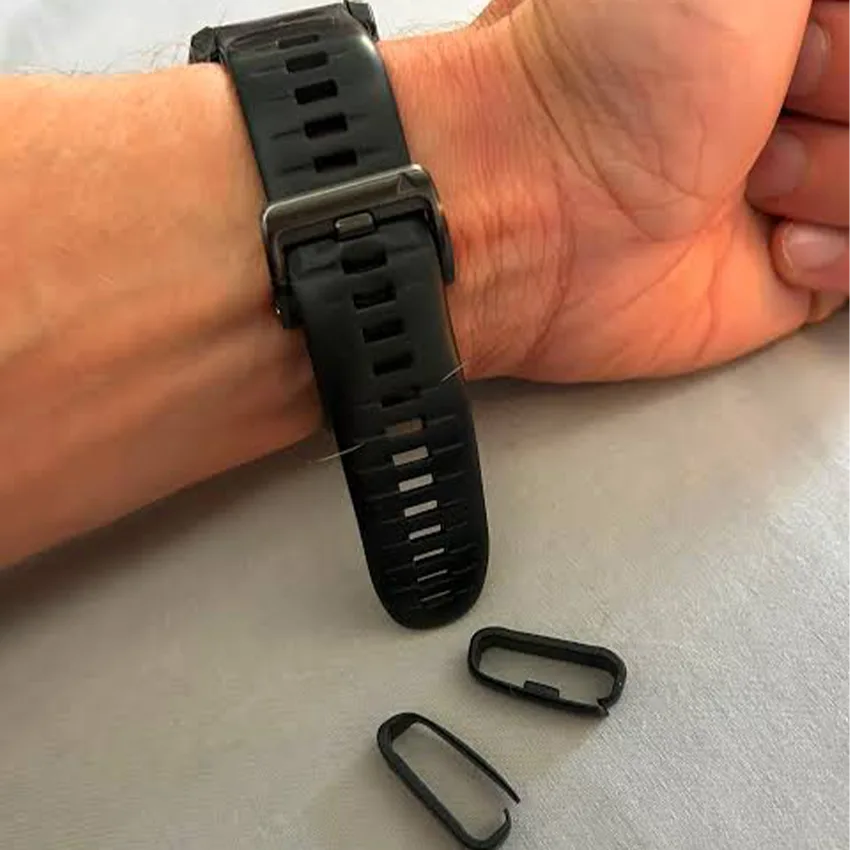
The keeper loop is the small loop that holds the tail of the band in place, and it’s one of the most common ways Garmin bands break. It stretches every time you put the watch on, so it often splits before the band itself does. Replacement keepers for the original Garmin band are hard to find, so a new band is usually the fix, and new bands typically come with their own keeper.
Which Other Garmin Bands Fit a Forerunner 935?
The Forerunner 935 shares its bands with more watches than you might expect. The Forerunner 945 uses the same screw-pin system as the 935, so Garmin’s original Forerunner bands fit both. The 945, Forerunner 955, and Forerunner 965 also take QuickFit 22 bands, so a QuickFit 22 band bought for any of them fits your 935.
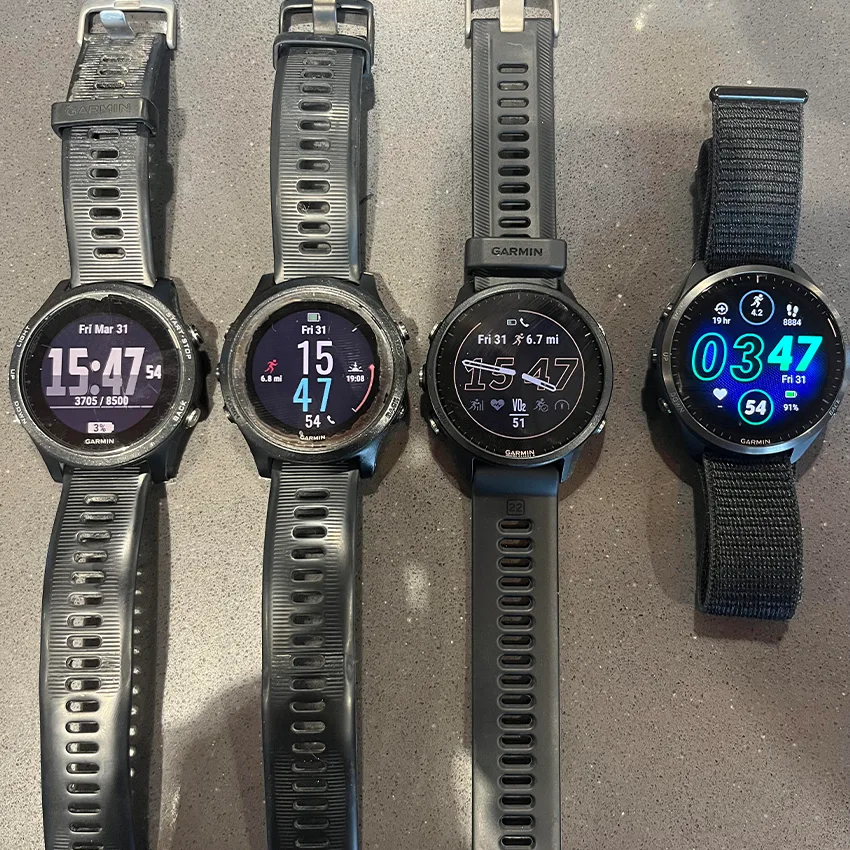
Just check that the listing says QuickFit 22 rather than a 22mm lug width, since that’s the quick-release fitting. The QuickFit 22 range covers everything in that fitting, and the Forerunner band range has the rest of the line if you’re shopping across watches.
Band and Adapter Care
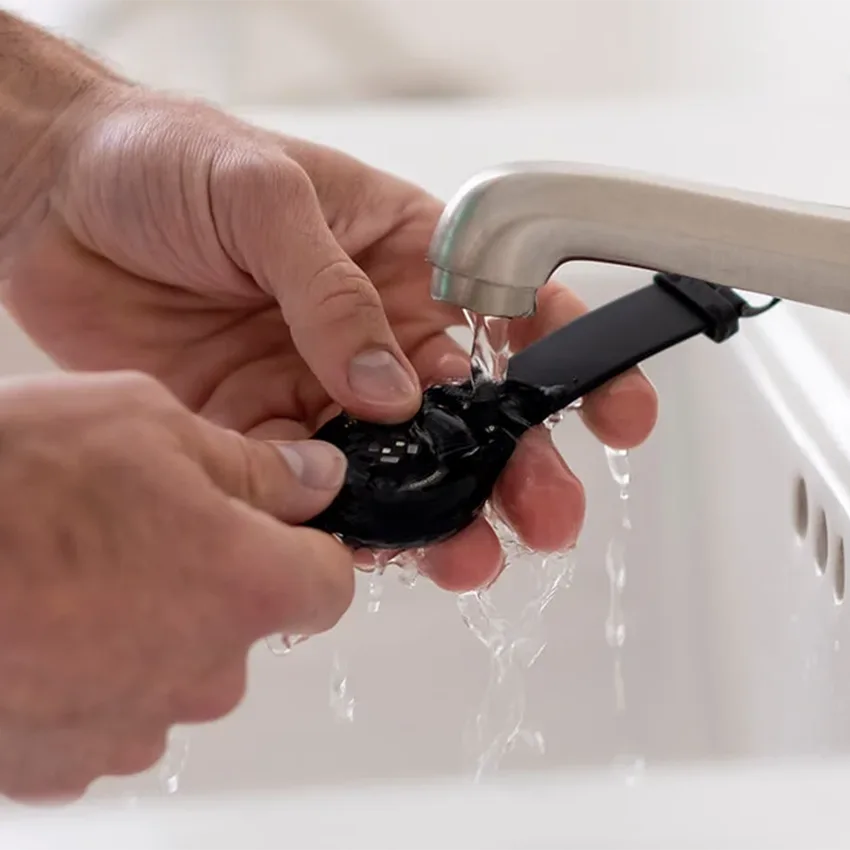
Rinse the band with fresh water after a hard workout or a swim, and let it dry before you put it back on. Dried sweat and salt collect around the pins and screws, which can make the band look dirty and smell over time.
Check the pins and any adapters every few months by holding the watch and gently moving the band. Any play means a screw has loosened or a pin is wearing. Cleaning methods vary by material, so match your cleaning routine to your band’s material.
When to Replace Rather Than Repair
Replace the band when the material splits, goes tacky, or the holes have stretched enough that it sits in a different position each time. Replace an adapter if it still moves after you’ve tightened the pins and checked the latch.
Where to Get a Replacement Band
Because the 935 takes QuickFit 22, you aren’t limited to one Garmin part. You can buy QuickFit 22 bands from any brand, and if you’ve installed an adapter, 20mm quick-release straps open up even more options.
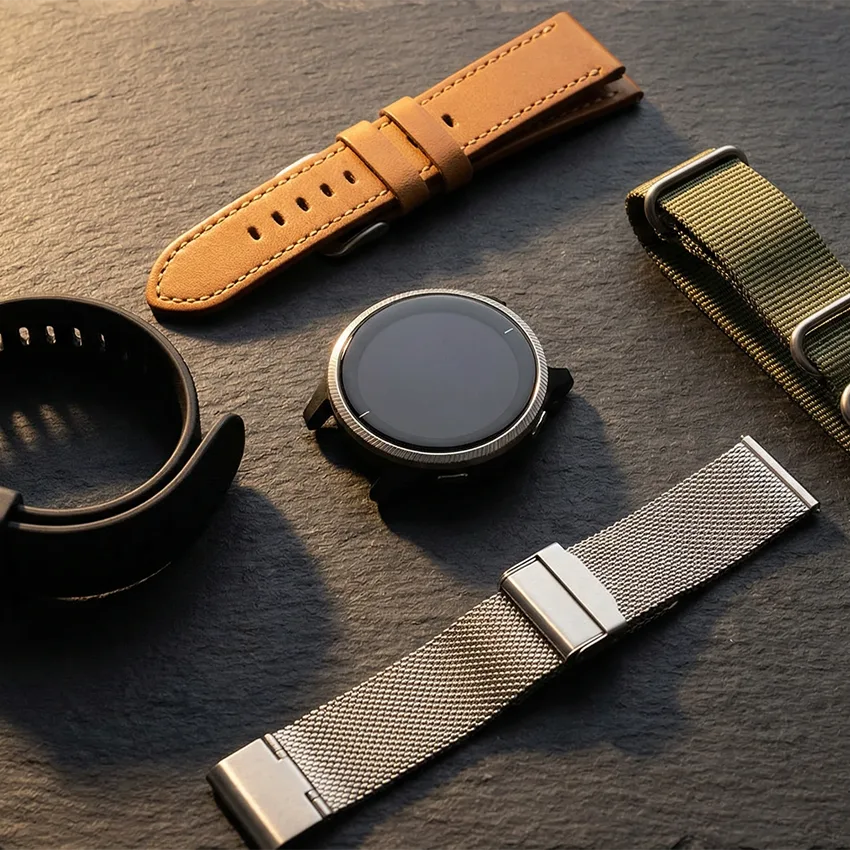
The most comfortable Garmin strap material is the one that suits your lifestyle. Choose a material according to what the watch goes through in a normal week. If it sees sweat every day, FKM, handles UV and sweat better than silicone, which makes an Elite FKM strap for the Forerunner 935 a strong everyday pick. For hot weather, outdoor runs, and sleep tracking, nylon breathes well. For desk days or travel, leather looks sharp, but it doesn’t hold up well to sweat, so keep it off your training runs.
Final Thoughts
The Forerunner 935 takes a few extra minutes the first time because of its screw pins, but it’s an easy job once you know what you’re working with. For the simplest swap, fit a band built for the 935 with the same screw pins. For a wider range of styles, put the pins back in and switch to QuickFit 22 bands, or fit a 20mm adapter, and every change after that is tool-free.
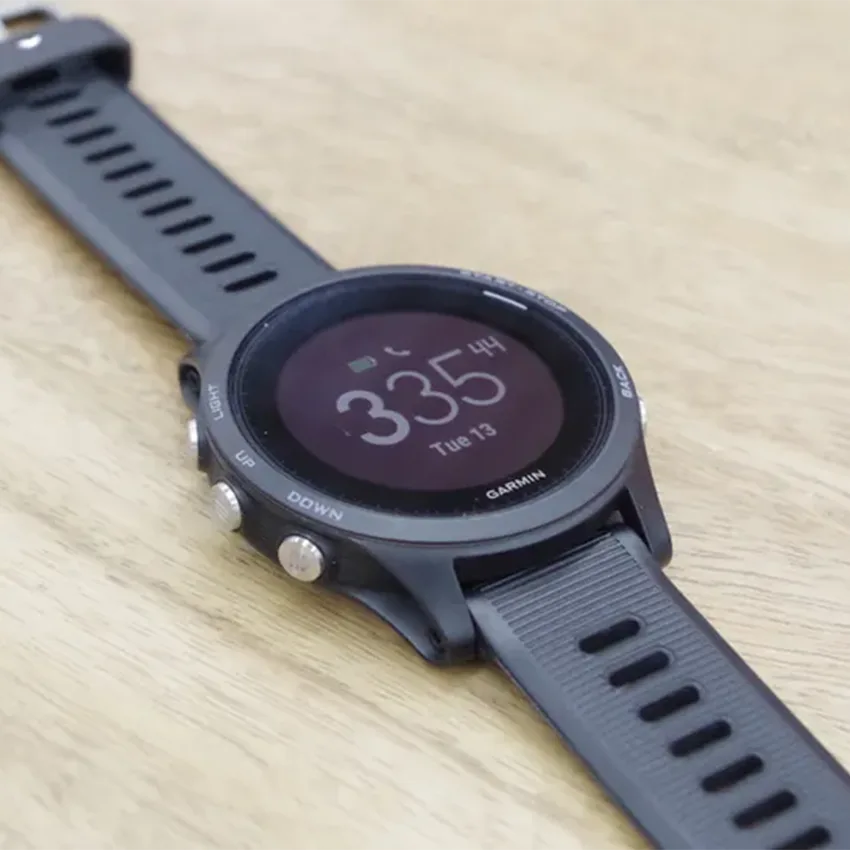
What’s going on your Forerunner 935 next?
Frequently Asked Questions
What size strap does the Garmin Forerunner 935 require?
The Forerunner 935 takes a 22mm strap. Garmin lists two kinds of band for it: its own bands, held on by pins, and QuickFit bands that press into place. A standard 22mm quick-release band won’t attach. QuickFit 22 is the easy one to shop for, since the 945 and 955 use it too, and it opens up a much wider choice of materials and lengths than the original band.
Do you need a screwdriver to change a Forerunner 935 band?
Yes. Garmin’s manual has you loosen the band pins with two screwdrivers, then take the pins out. To fit another Forerunner band, you put the pins back with the same screwdrivers. For a QuickFit band, you put the pins back in and press the band into place until the latch closes over the pin. After that, QuickFit swaps are tool-free.
Do Forerunner 945 or 955 bands fit the 935?
Yes. The 945 uses the same screw pins as the 935, so its original Garmin bands fit, and the 945 and 955 both take QuickFit 22 bands, which the 935 accepts. So a QuickFit 22 band bought for either of the newer watches goes straight onto your 935. Check that the listing says QuickFit 22 before you order.
Do you have to buy the original Garmin band for a Forerunner 935?
No. Garmin’s manual says the Forerunner 935 also takes compatible QuickFit bands, so any QuickFit 22 band fits. That means you can shop QuickFit 22 bands from any maker, and the choice of materials and lengths is far wider than the original band. If you’d rather wear standard straps, a 20mm adapter opens up quick-release bands too.