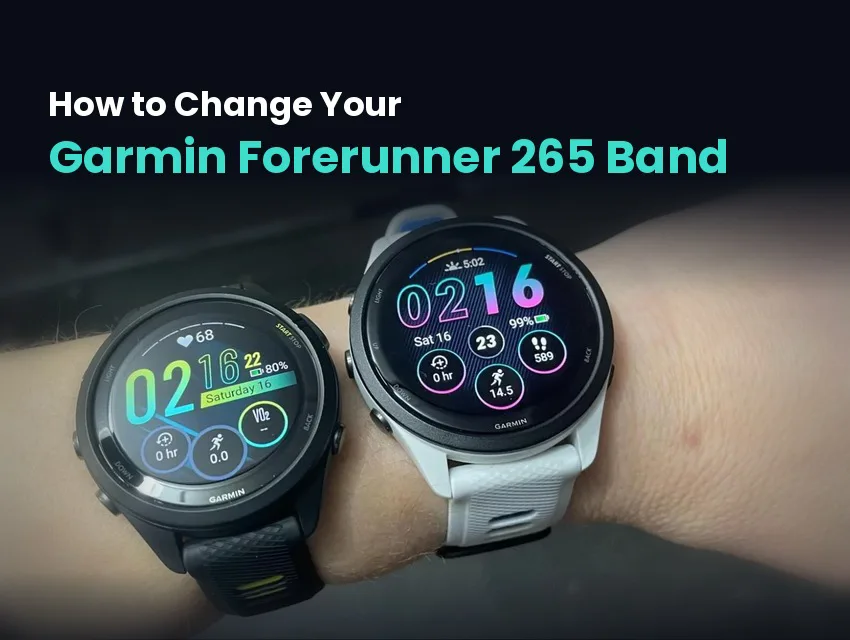
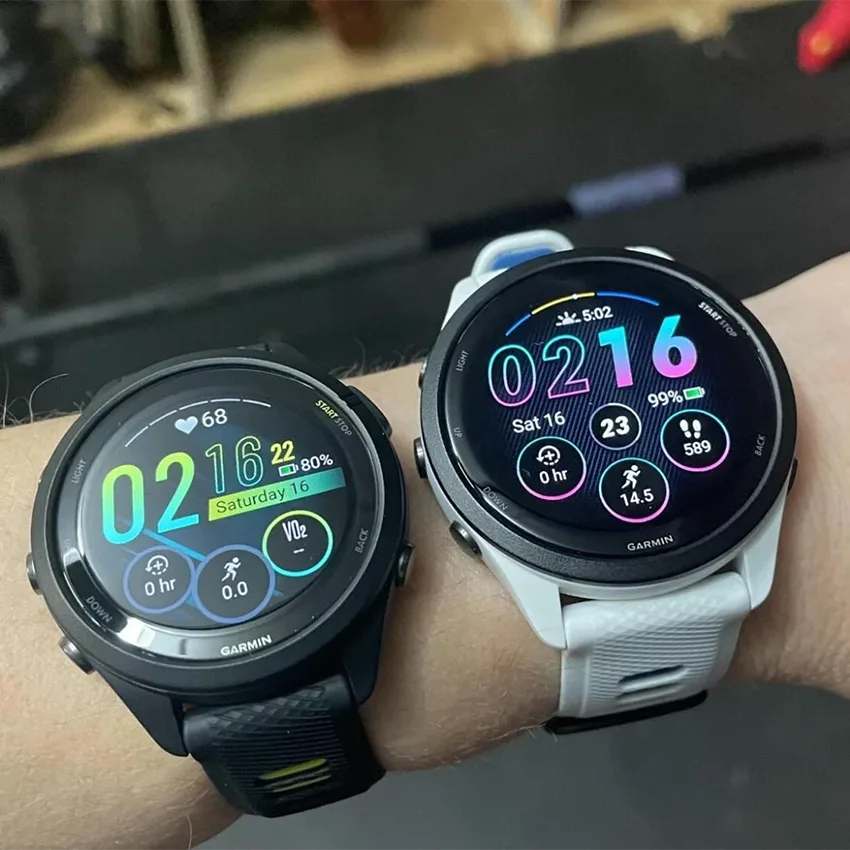
Ordering the wrong watch band for their device is the most common mistake Forerunner 265 owners make. The Forerunner 265 and the smaller Forerunner 265S look alike on the wrist, but they take different band widths.
The good news is that it’s easy to swap out your Garmin band. Whether you need to replace a grimy or broken band or want to change up your style, you aren’t stuck with the strap your device came with. The Garmin Forerunner 265 takes a standard 22mm quick-release strap. We’ll walk you through confirming your size, removal, installation, and the three snags people hit most often.
Key Takeaways
- The Forerunner 265 takes 22mm quick-release bands, and any band in that size fits.
- The Forerunner 265S is the smaller version and takes 18mm, so confirm your model first.
- Garmin’s QuickFit and quick-release bands aren’t interchangeable, so a QuickFit band won’t attach to a 265.
- Bands from a Venu 3, Vivoactive 4, or Forerunner 255 fit, because they’re all 22mm quick-release too.
- No tools are needed, because the spring bars have quick-release levers built in.
Before You Start: Confirm Your Size
Get the width settled before you purchase a new strap, because this is where most Forerunner 265 orders go wrong. Garmin makes the watch in two sizes, and each takes its own band width.
| Model | Band width | Connector |
|---|---|---|
| Forerunner 265 | 22mm | Quick-release |
| Forerunner 265S | 18mm | Quick-release |
Not sure which one you have? The model name is printed on the case back, and it’s also listed in your device details in Garmin Connect.
Our Garmin lug width and strap size guide lets you confirm your lug width according to your model quickly.
If you own a 265S, look for 18mm quick-release straps or browse our Forerunner 265S range for your next strap. If you own a standard-sized Forerunner 265, look for compatible quick-release 22mm straps.
Why a QuickFit Band Won’t Fit a Forerunner 265
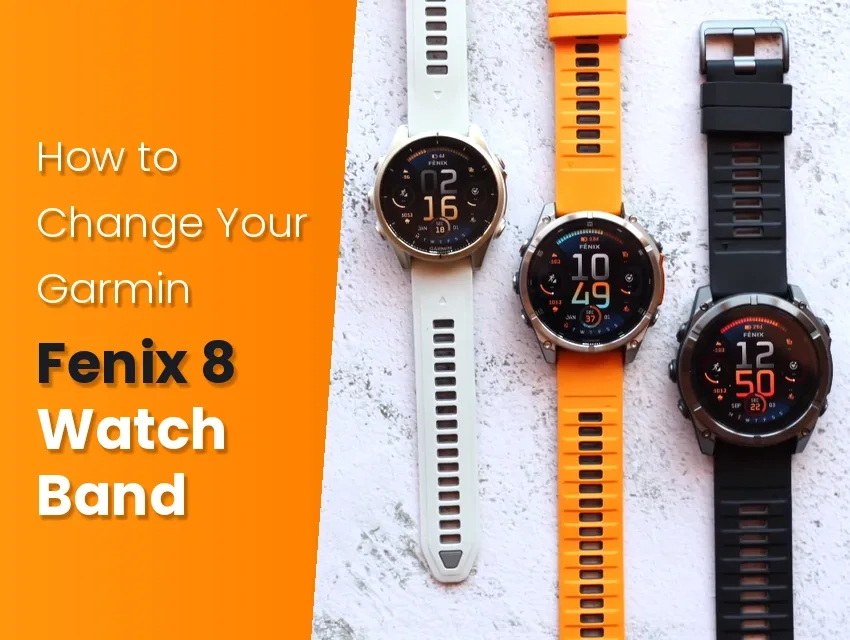
The Forerunner 265 uses standard quick-release spring bars, the same fitting most traditional watches and many Garmin devices use. However, some Garmin models, like the Forerunner 965 and Fenix 8, use Garmin’s proprietary QuickFit connector instead. Both come in 22mm, but they attach to the watch in completely different ways, so they aren’t interchangeable.
Telling them apart takes a second once you know what to look for:
- Quick-release straps end in a thin metal bar with a small lever on the underside.
- QuickFit straps end in a flat molded connector with a sliding latch built into it.
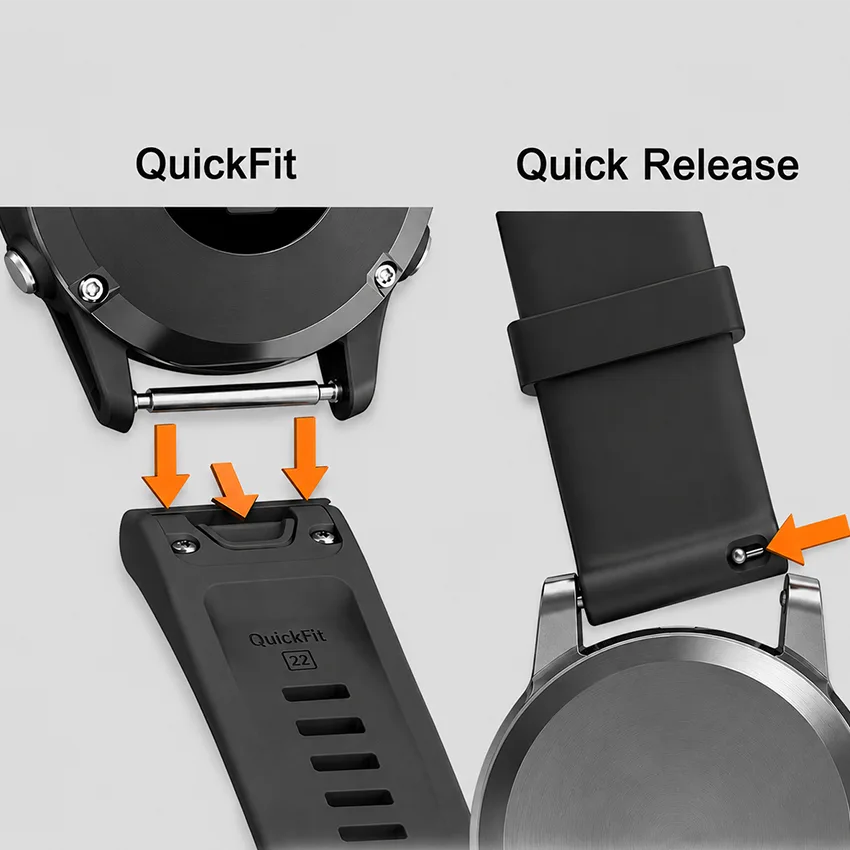
Your Forerunner 265 needs the first one, so check the end of the band in the listing photos or look at the watch band listing for “quick-release compatibility,” not just the width.
Can You Change a Forerunner 265 Band Without a Tool?
Yes. The quick-release spring bars for these watches typically feature a small lever built into the bar, making it easy to change with your finger or nail.
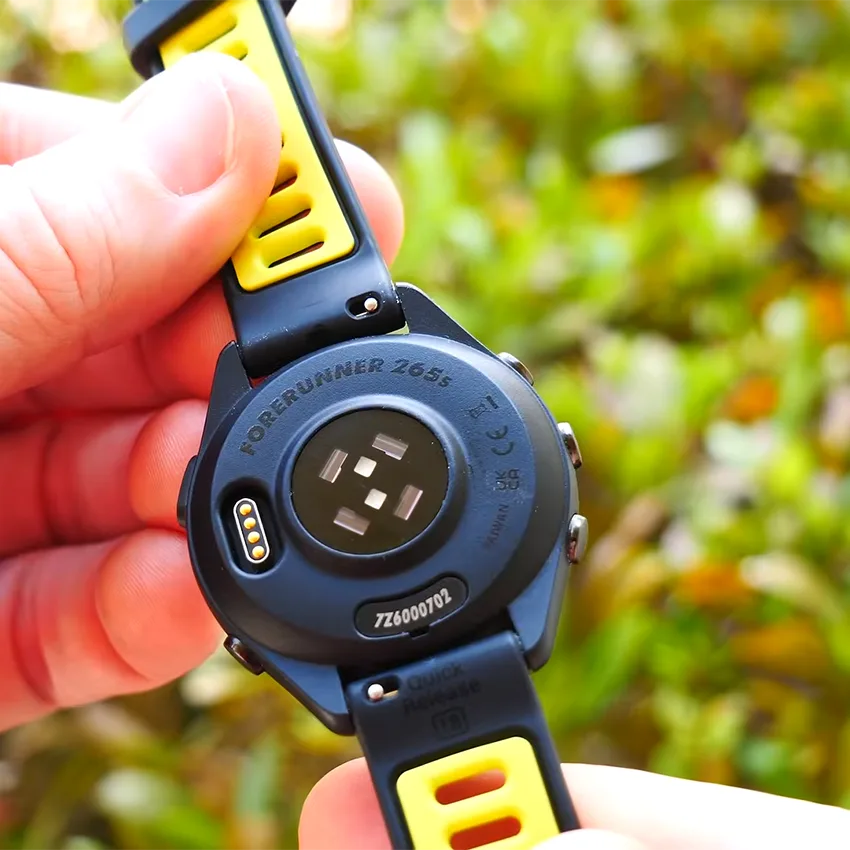
Some bands use plain spring bars without a lever, and that’s where a spring bar tool comes in handy. Its forked end tucks in beside the lug and compresses the pin so the band slides out. It also helps if the quick-release lever is too small to grip with your fingernail.
How to Remove the Forerunner 265 Band
Here’s how to remove a quick-release band:
- Turn the watch face down on a soft surface so you don’t scratch the screen.
- Find the small lever on the underside of the spring bar, near the lug.
- Slide it toward the middle of the band, which pulls the pin back.
- Lift that end of the band clear of the lug while holding the lever.
- Let the lever go and repeat on the other side.

Common mistake: If the band won’t come off, the lever probably isn’t pulled all the way across, so the pin is still sitting in the lug hole. Slide it fully before you lift, rather than pulling harder on the band.
How to Install the New Forerunner 265 Band
Here’s how to install a quick-release strap:
- Check that the band is the right way around. The curve follows your wrist, and the buckle sits underneath.
- Seat one end of the spring bar in the hole on one lug.
- Slide the lever to retract the pin at the other end.
- Line the band up between the lugs.
- Release the lever slowly and listen for the pin seating.
- Tug both ends before you wear it.

A band that comes off mid-run was usually seated in only one lug, so don’t skip that last tug on each end.
Which Other Garmin Bands Fit a Forerunner 265?
When shopping the entire Forerunner band range, you may find that more bands fit than you think! The Venu 3, the Vivoactive 4, and the Forerunner 255 all use 22mm quick-release straps, the same as the 265. A band bought for any of those can go straight on your Forerunner 265, which is useful if you want to share or try on bands in your household or among friends.

Other bands aren’t swappable. The Forerunner 965 takes 22mm QuickFit, so the width matches but the connector doesn’t. The Forerunner 245 and Forerunner 165 are the reverse: quick-release like the 265, but 20mm, so they’re the right connector at the wrong size, which is why it’s important to confirm your Garmin band size before purchasing a new strap.
Troubleshooting Common Band Swap Issues
These three problems cover nearly every snag after a Forerunner 265 band swap.
The Band Moves or Rocks Side to Side
A pin hasn’t connected fully to the device. Pull that end out, line it up properly, and release the lever slowly rather than letting it snap home. If it still moves with both pins seated, check the band’s width. A band that’s even slightly narrower than 22mm will shift between the lugs. If the width is right, the strap hole the spring bar runs through may have stretched with wear, and the band needs replacing.
The Band Won’t Fit Between the Lugs
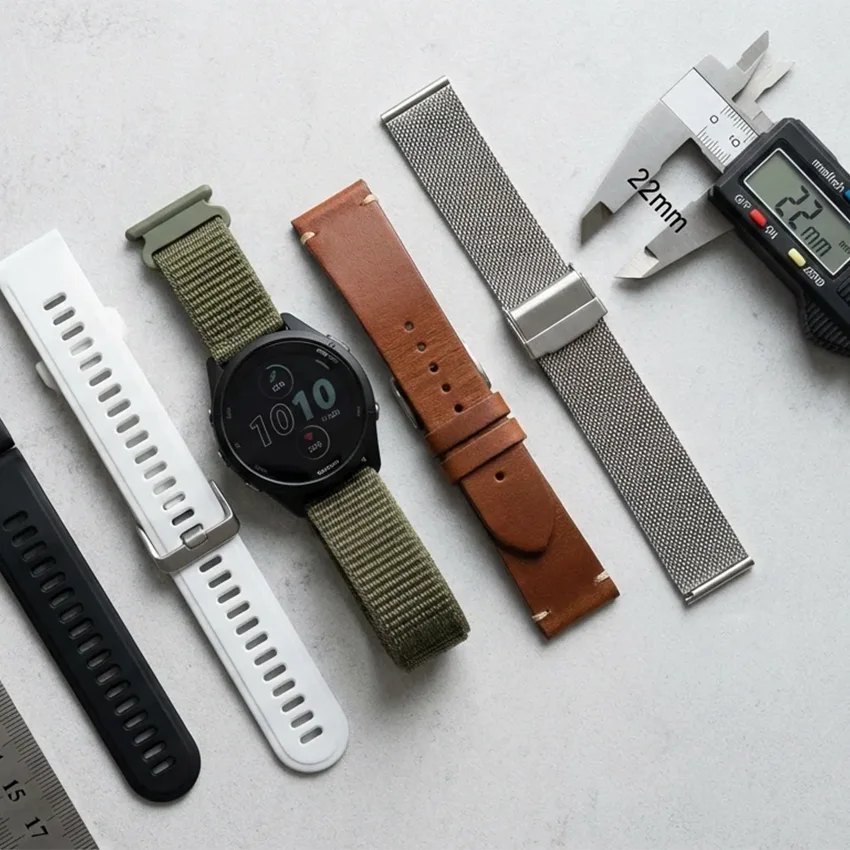
Check the width first. Some bands have the width stamped on the underside near the spring bar. If the band is 22mm and it won’t go in, it’s possible you have a Forerunner 265S, which takes 18mm. If the strap is narrower than 22mm, it’ll leave a gap and won’t hold properly. Our guide on how to know your Garmin strap size walks through how to confirm your lug width, including how to measure the gap between the lugs.
The Band Won’t Attach at All
Check the connector rather than the width. A flat molded connector means QuickFit, which belongs to a different Garmin. This watch needs a metal spring bar.
Choosing a Replacement Band
Your Garmin device is compatible with various straps on the market, not just Garmin-branded bands. There’s nothing electronic in the band and nothing in the watch that checks what’s attached to it, so a third-party strap doesn’t affect the sensor, the battery, or anything else. Garmin’s own bands are perfectly good, but they’re not the only option.
Any 22mm quick-release band will fit, so you can make a choice based on how you actually wear the watch rather than hunting down a part number.

The 265 is a training watch, so you get to pick the material based on how much sweat it has to handle. Silicone and FKM rubber take the worst of it and clean up under a running tap, which is why most people end up there for daily use. Nylon is the pick for hot weather and long runs because it dries quickly and lets air through, though it does need washing more often. Leather and metal are better choices when you’re traveling or at the office, since leather doesn’t hold up well to sweat. If you’re torn, our guide to the best Garmin watch band breaks down each material by activity.
Band Care After Installation
Once the new band is on, a little care keeps it from smelling and wearing out early.
These three habits make a band last longer:
- Rinse it with fresh water after a hot run, a swim, or salt water, then clean it properly every so often.
- Let it dry all the way before you put it back on or wear it overnight for sleep tracking, since trapped moisture held against your skin can lead to irritation.
- Keep sweat from sitting in the pin holes, because that’s what wears them out, and the holes usually fail before the strap does.

Cleaning methods vary by material, so match your cleaning routine with your strap’s material.
When to Replace a Forerunner 265 Band
There are plenty of reasons why Garmin bands break or wear out. Replace the band when the material goes tacky or splits, when the holes have stretched enough that it never sits in the same place twice, or when the strap rocks against the device even after a correct refit.
Every few months, check the pin holes for wear. Hold the watch case steady in one hand, then gently wiggle the band right next to the lug with the other. A band in good shape doesn’t move. If it still wiggles after you’ve re-seated both spring bars, the holes are opening up, and it’s time for a new band.

Your Forerunner 265 Swap Is Done
The Forerunner 265 is one of the easier Garmin models to buy for. Confirm you have the 265 rather than the 265S, get a 22mm quick-release band, and every change after that takes about a minute without tools. When you’re ready for your next one, browse our Garmin Forerunner 265 bands to find the right fit.
Frequently Asked Questions
Are Garmin Forerunner 265 bands interchangeable?
Yes. The watch uses standard spring bars, so any 22mm quick-release band fits, whether Garmin made it or not. Nothing in the band talks to the watch, so a third-party strap has no effect on the sensor or anything else. The only two things to match are the width and the connector type.
What size band does the Garmin Forerunner 265S take?
18mm. That’s the smaller case in the pair, and it’s a different band from the Forerunner 265, which takes 22mm. The Forerunner 265S shares its 18mm width with the Venu 2S, the Vivoactive 4S, and the Forerunner 255S, so bands can move freely between those four.
Do Venu 3 or Vivoactive 4 bands fit the Forerunner 265?
Yes. The Venu 3, the Vivoactive 4, and the Forerunner 255 all take 22mm quick-release, which is exactly what the Forerunner 265 takes. A band bought for any of them goes straight on. That’s the practical benefit of a standard width, because the band follows the size rather than the model name.
Do Forerunner 245 bands fit the Forerunner 265?
No. The Forerunner 245 takes 20mm, and the Forerunner 265 takes 22mm. The connector is the same quick-release fitting on both, which is why this one catches people out, but a 20mm band leaves a visible gap at the lugs and won’t hold properly. Check the width on the listing, not just the fitting type.