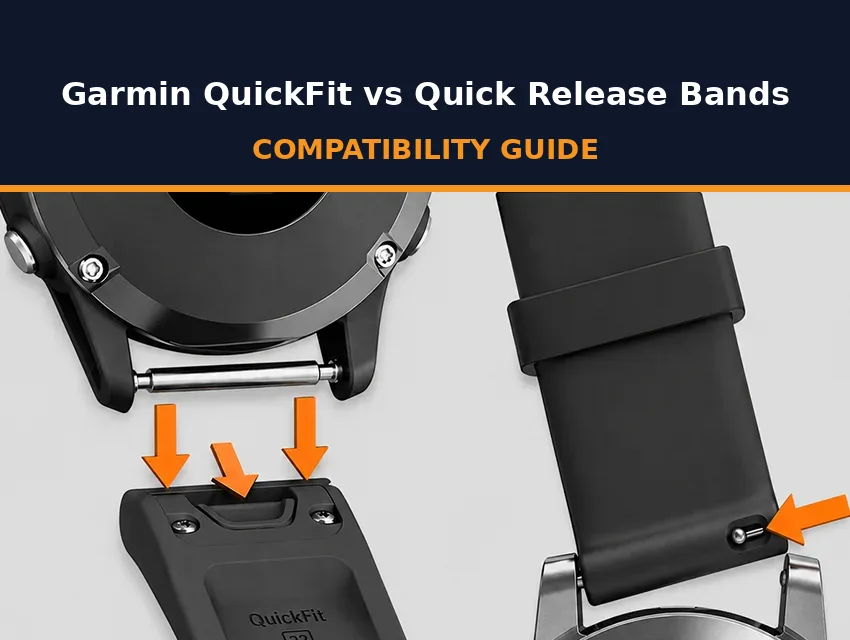
Garmin builds its watches around two band connector systems: QuickFit and quick-release. They’re both convenient and easy to use, but they’re not interchangeable, which leads to a lot of incorrect orders and returns.
This guide covers how each system works, how to identify your watch connector, and how to swap your straps.
Key Takeaways
- Garmin uses two band connector systems, QuickFit and quick-release, and they aren’t interchangeable.
- QuickFit uses a proprietary latch that locks the band to the case, while quick-release uses a standard spring bar.
- QuickFit comes in three sizes: QuickFit 20, QuickFit 22, and QuickFit 26.
- QuickFit sits on Garmin’s flagship outdoor and multisport lines like Fenix, Epix, and Tactix, and quick-release sits on everyday fitness watches like Venu, Vivoactive, and most mid-range Forerunners.
- You can spot your system in seconds by looking at where the band meets the case.
QuickFit vs Quick-Release at a Glance
QuickFit uses a proprietary latch that locks the band onto the case, and quick-release uses a standard spring bar built into the strap. Both swap without tools, but a band made for one system won’t fit the other.
| Feature | QuickFit | Quick-Release |
|---|---|---|
| Connector | Proprietary latch that locks onto the case | Standard quick-release spring bar in the strap |
| Swap method | Open the latch, no tools | Slide the pin lever, no tools |
| Sizes | QuickFit 20, 22, 26 | 18mm, 20mm, or 22mm |
| Examples of models | Fenix, Epix, Tactix, Quatix, MARQ, Enduro | Venu, Vivoactive, Vivomove, many Forerunners |
| Band market | QuickFit-compatible bands only | Any standard quick-release strap in the width |
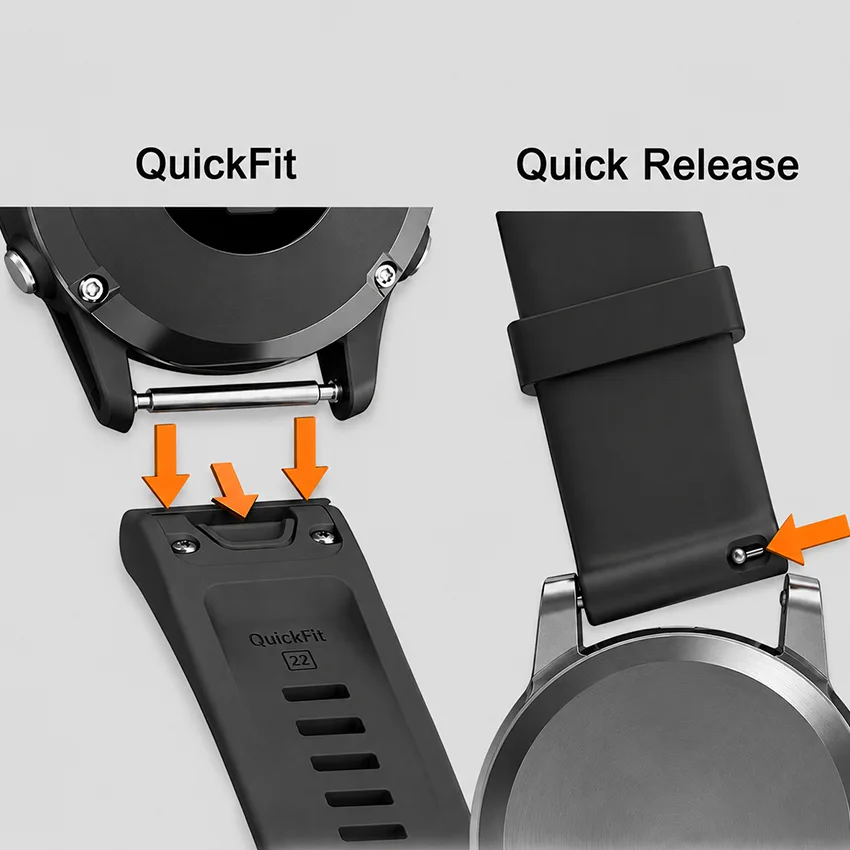
The widths can overlap, yet the connectors are shaped differently, so the two never interchange.
How QuickFit Works and Which Watches Use It
QuickFit is Garmin’s own locking connector, and it appears on Garmin’s flagship outdoor and multisport lines, including Fenix, Epix, Enduro, Tactix, and the Forerunner 9xx series. The band’s latch clicks over the watch pin between the lugs and holds it firm, so it stays put through hard training and rough trails.
QuickFit is Garmin’s own design, so only bands built with a QuickFit connector will fit, and they have to match your watch’s size. Garmin offers QuickFit in three sizes, and the size is fixed by your model. If you’d rather wear a standard strap, QuickFit strap adapters clip onto the watch like a QuickFit band and give you lugs that take a regular quick-release strap.
Your Garmin band size decides the collection you shop, so nail that down first. For most standard-size Fenix, Epix, and Forerunner 9xx watches, that’s QuickFit 22.
The QuickFit Latch
The latch is what makes QuickFit so secure.
- The band’s latch clicks over the watch pin between the lugs.
- A latch tab locks the band so it won’t shake loose during activity.
- Swapping takes seconds, with no tool needed.
QuickFit Sizes and Model Families
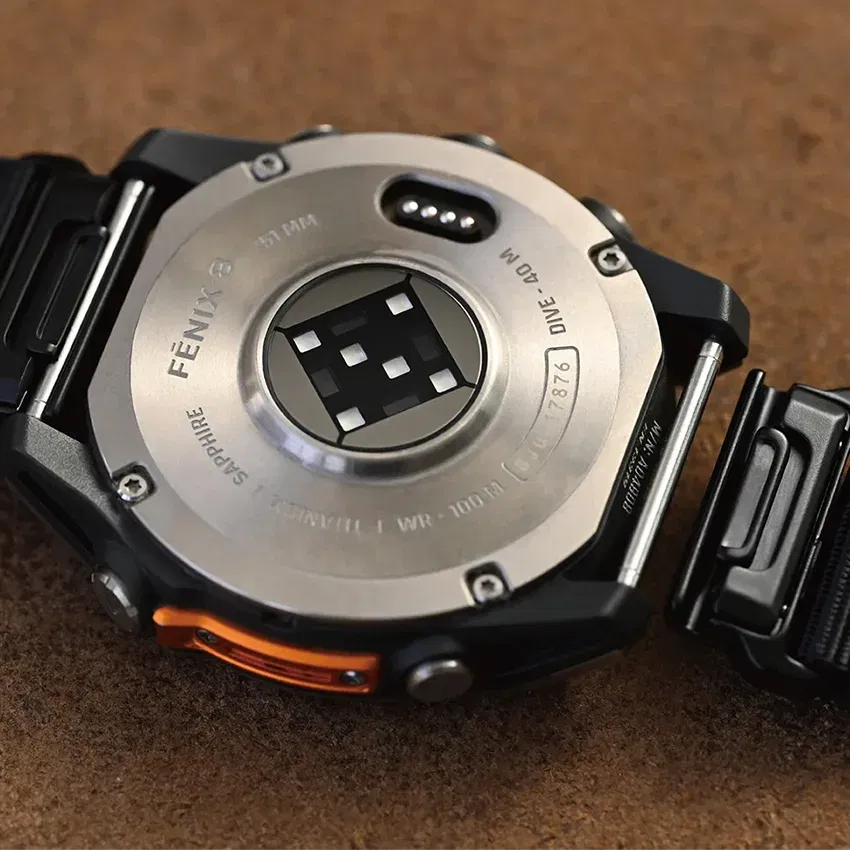
Your model decides which of the three sizes you need.
- QuickFit 20: Fits smaller Fenix and Epix Pro cases, such as the Fenix 7S, Fenix 8 43mm, and Epix Pro 42mm.
- QuickFit 22: Fits standard Fenix, Epix, Quatix, and MARQ watches, the Forerunner 745 and 9xx models, and the Instinct 2 and Instinct 3 45mm, which ship with pin-style bands but accept QuickFit 22.
- QuickFit 26: Fits larger X and 51mm cases, such as the Fenix 7X, Epix Pro 51mm, Enduro, Tactix 7, and Instinct 3 50mm.
How Quick-Release Works and Which Watches Use It
Quick-release is the simpler system, and it sits on Garmin’s everyday fitness and lifestyle watches, as well as mid-range Forerunners. It uses an industry-standard spring bar, the same fitting most traditional non-smart watches use. That means the aftermarket is wider, with far more strap styles to choose from.
Quick-release bands are sized by lug width, the gap between the lugs on your watch, so that’s the number to match when you shop.
A spring bar is held in by spring tension rather than a locking latch, so a cheap band with weak bars can develop play at the lugs over time. A quality band with solid spring bars holds fine for daily wear.
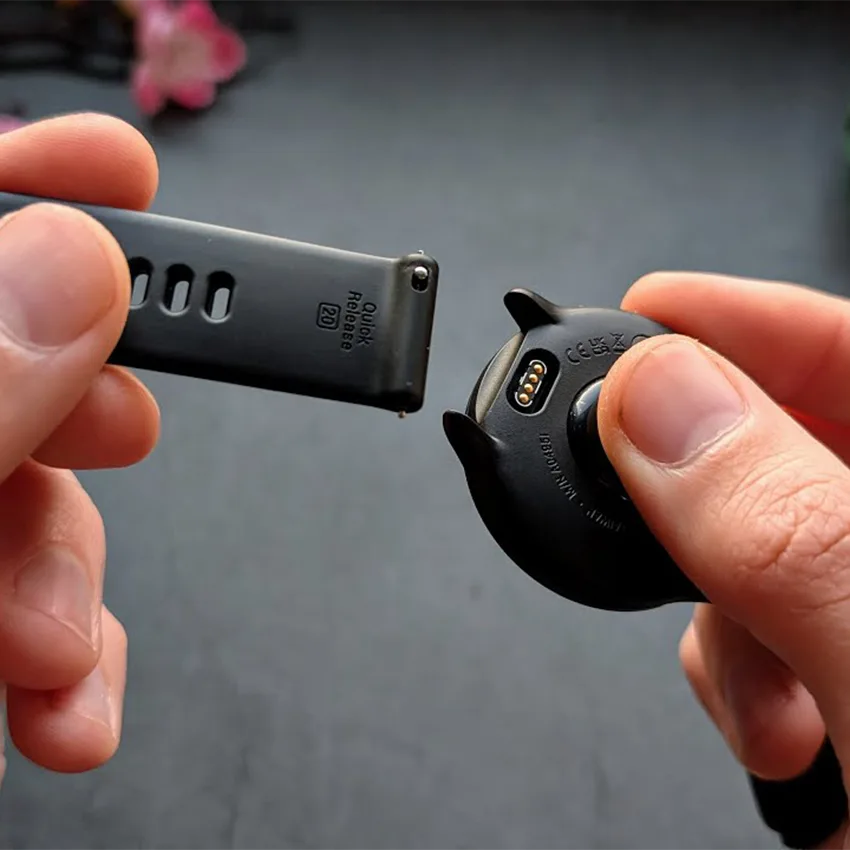
The Quick-Release Spring Bar
The spring bar works the same way on every quick-release band.
- A sliding pin is built into the strap end.
- Moving the pin drops the band out, with no tools needed.
- It uses the same spring bar standard as most traditional watches.
Quick-Release Model Families
These are the main Garmin lines that use quick-release.
- The Venu line, including the Venu 2, Venu 3, and Sq series.
- Vivoactive 3, 4, and 5, plus the Vivomove series.
- Forerunner 165, 245, 255, 265, and 645, including the 255S and 265S.
- Some Approach golf models, such as the Approach S70.
How to Tell Which System Your Garmin Uses
Not sure which system your Garmin uses? Two quick checks settle it before you order the wrong band. Each takes under a minute.
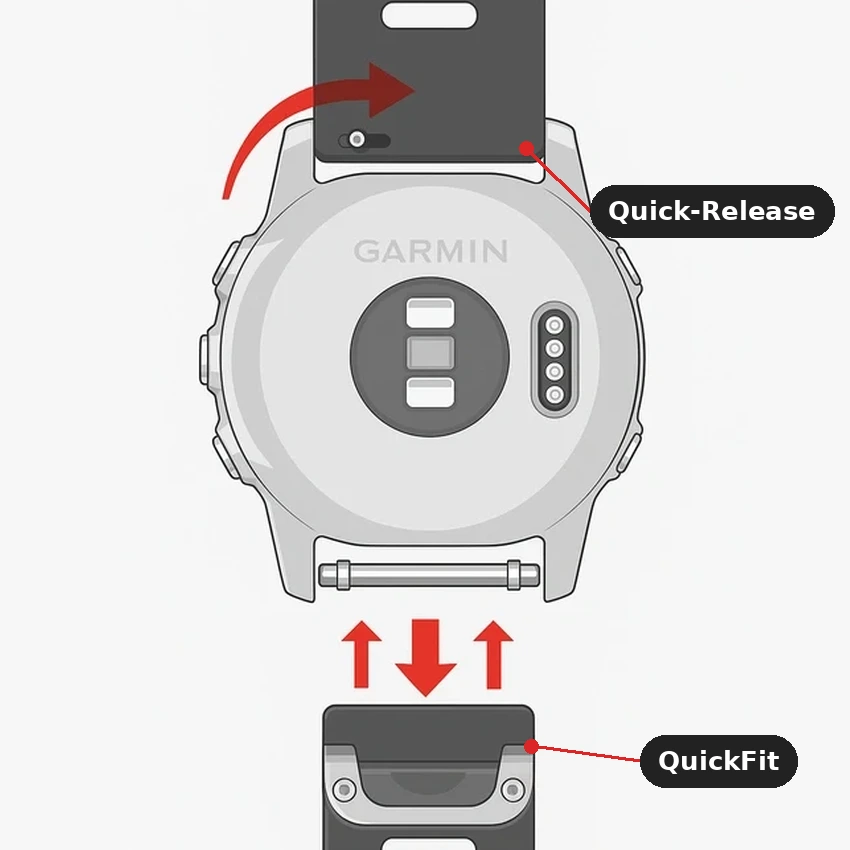
Method 1: Look at the Connector
The hardware tells you right away.
- Turn the watch over and look where the band meets the case.
- A flat connector with a sliding latch means QuickFit.
- A thin metal bar with a small lever on the underside means quick-release.
Method 2: Check Your Model
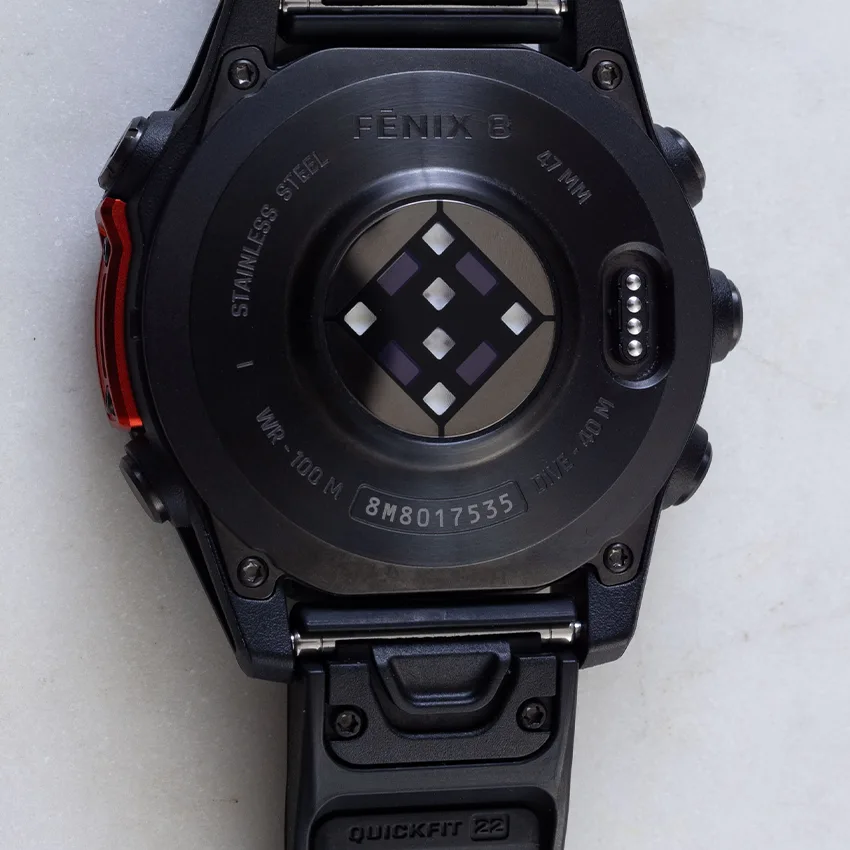
You can also look up your model and see what connector it uses.
- Find your exact model name on the case back, or in your device details in Garmin Connect.
- Match it against the model lists above to confirm.
How to Swap Each Band Type
Both systems swap in seconds with no tools.
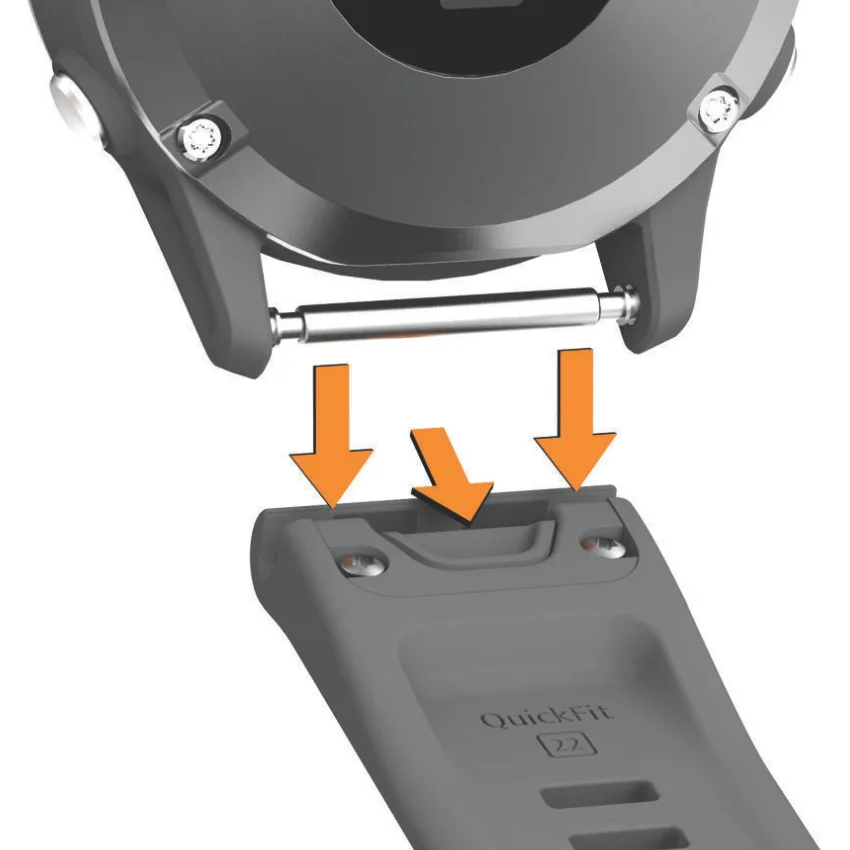
Swapping a QuickFit Band
Here’s how to swap a QuickFit band:
- Slide the latch on the QuickFit connector away from the device.
- While you hold the latch open, lift the old band off the watch pin.
- Line the new band’s connector up with the watch pin and press it down until you feel and hear the latch click closed.
Swapping a Quick-Release Band
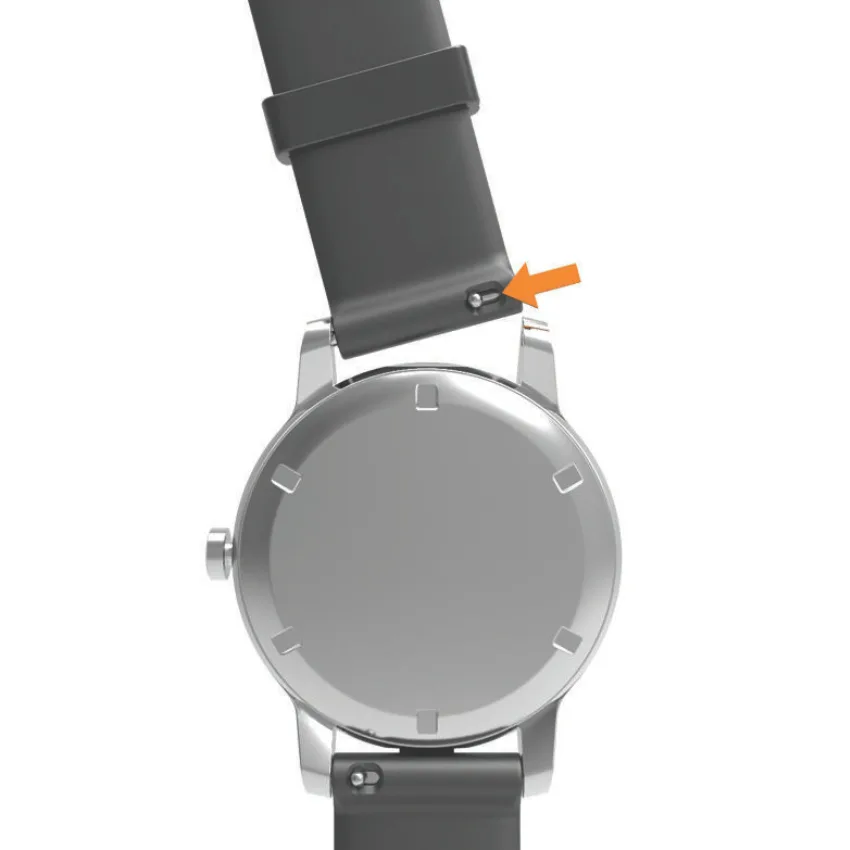
Here’s how to swap a quick-release band:
- Slide the small lever on the spring bar toward the center of the band.
- Lift the strap end out from between the lugs.
- Slide and hold the lever on the new band’s spring bar, then seat the band between the lugs.
- Line the pin up with the lug hole and release the lever so it springs into place.
Confirm the System, Then Match the Size
So the whole thing comes down to two steps: confirm your connector system, then match the size. QuickFit locks with a latch and needs a QuickFit band, while quick-release uses a standard spring bar. Once you know what connector system you have, you’ll be able to find the best Garmin strap for your lifestyle. Get the system right and the rest is just picking a material for how you wear it.
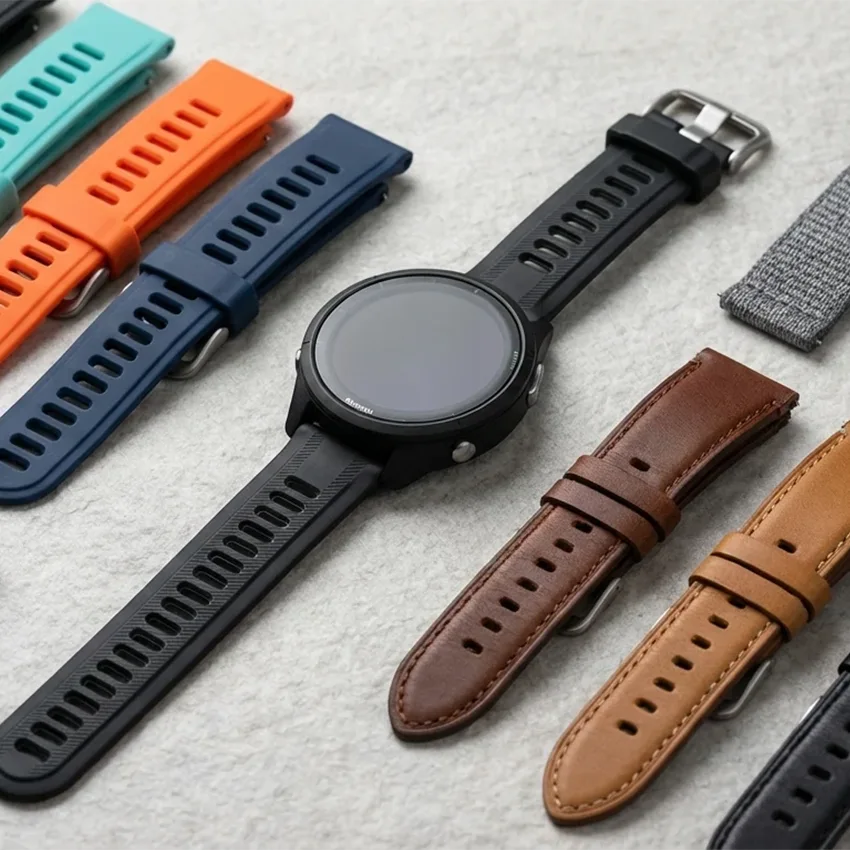
Is your Garmin a QuickFit or quick-release watch? Let us know in the comments.
Frequently Asked Questions
Are QuickFit and quick-release bands interchangeable on a Garmin?
No. QuickFit uses a proprietary latch that locks onto the case, and quick-release uses a standard spring bar. The two connectors are shaped differently, so a band built for one won’t mount on the other. The widths can overlap, but that doesn’t make them compatible. Confirm your system before you buy a new strap for your Garmin.
Which Garmin watches use QuickFit and which use quick-release?
QuickFit sits on Garmin’s flagship outdoor and multisport lines like Fenix, Epix, Tactix, Quatix, MARQ, and Enduro, plus the Forerunner 9xx series. Quick-release sits on everyday fitness and lifestyle models like Venu, Vivoactive, Vivomove, and mid-range Forerunners such as the 245, 265, and 645. When in doubt, check the model name on your case back and match it against Garmin’s compatibility list.
How do I know if my Garmin is QuickFit or quick-release?
Turn your watch over and look at where the band meets the case. A flat connector with a sliding latch means QuickFit. A thin metal bar that rests inside the band with a small lever means quick-release. If you still can’t tell, find the model name on your case back and check which connector that model uses.
Can I put a standard 22mm spring bar strap on a QuickFit watch?
No. A QuickFit watch needs the QuickFit connector, so a plain 22mm quick-release strap won’t lock onto the case. Standard quick-release straps are made for quick-release models, where any quality strap in the correct width fits. QuickFit strap adapters can bridge the gap, but a native QuickFit band is the simplest fit.