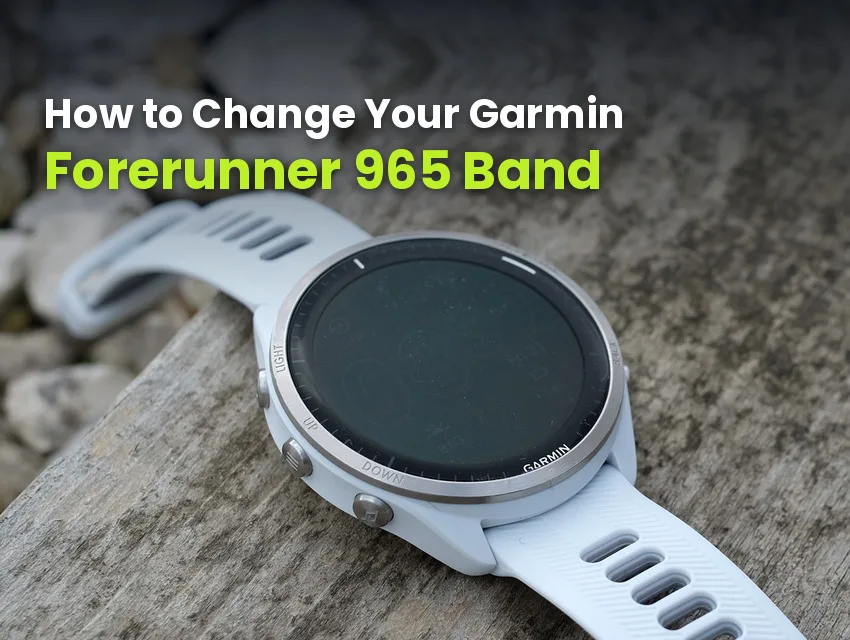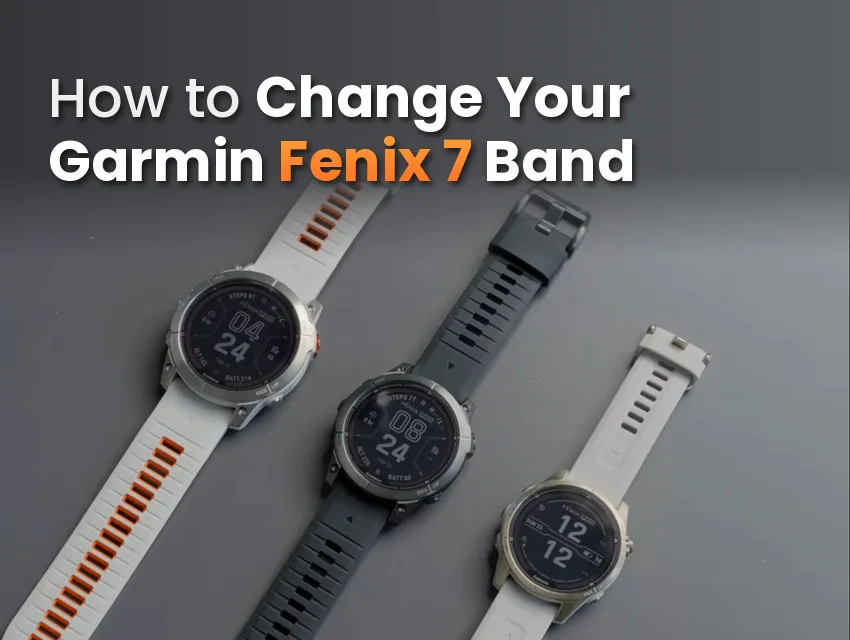
Once you have a new Garmin watch band, you need to install it on your device. The release on a Garmin Forerunner 965 is hidden underneath the device, which can cause confusion because there’s nothing obvious to press while the device is on your wrist.
Luckily, it’s simple and you don’t need a tool. There’s a small latch built into the QuickFit tab on the back where the band meets the case. Once you know it’s there, the whole job takes about 10 seconds a side.
Before you order, you should note that this device uses a QuickFit 22 connector, not standard quick-release, and those two aren’t interchangeable.
Key Takeaways
- The Forerunner 965 takes QuickFit 22, and it only has one case size.
- The release latch sits on the underside of the tab, which is why some people can’t find it.
- No tools are needed, and each side takes about 10 seconds once you know where to look.
- A band with a 22mm quick-release connector isn’t compatible with this device, even though it’s the same width.
- Bands from a Forerunner 945, Forerunner 955, or Fenix 7 all fit this device as well, because they are QuickFit 22 too.
Before You Start: Confirm Your Size
For the Forerunner 965, the size you’re looking for when replacing the strap is QuickFit 22. Garmin makes the 965 in one case size at 47.2mm, so there are no smaller or larger variants to size around and little risk of ordering the wrong width for your model.

Why a 22mm Quick-Release Band Won’t Fit
22 refers to the width, and QuickFit is the connector type. Many Garmin models use standard quick-release spring bars for the watch straps. QuickFit and quick-release aren’t interchangeable.
Both systems feature 22mm versions, which is why many Garmin users mix up the QuickFit and quick-release straps. The Forerunner 965 uses the QuickFit system, while other Garmin models feature standard quick-release.
Telling them apart takes a second once you know what to look for:
- QuickFit ends in a flat molded tab with a sliding latch built into it.
- Quick-release ends in a thin metal bar with a small lever on the underside.
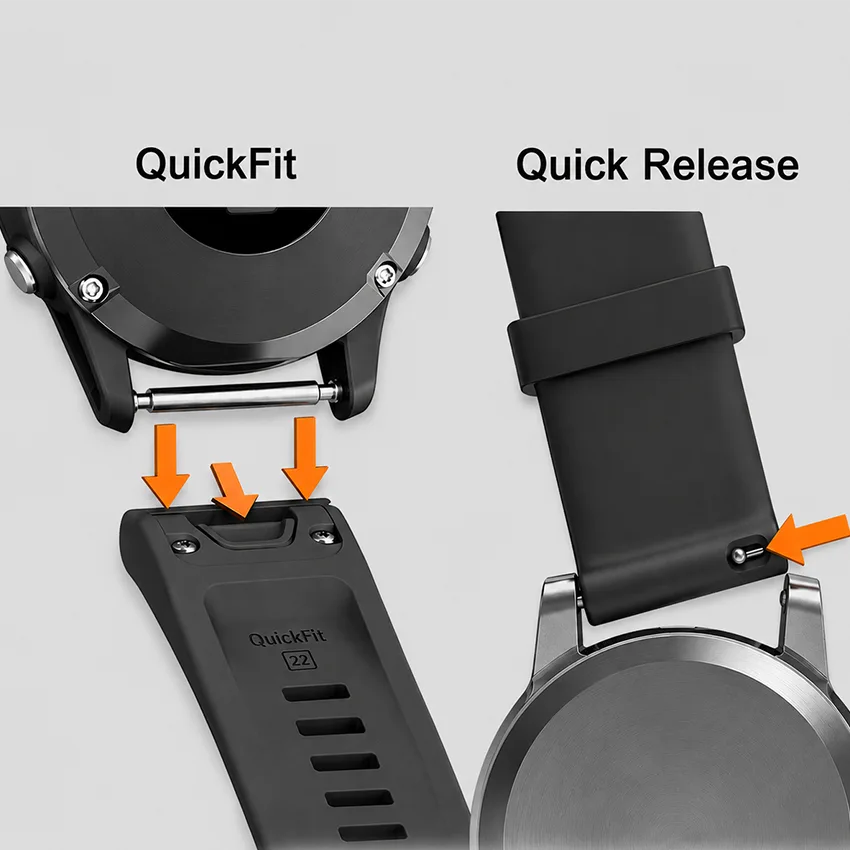
If you own more than one Garmin, our Garmin lug width and strap size guide can quickly show you which connector and size your watch is. You can also measure your watch yourself to confirm its size.
Can You Take a Forerunner 965 Band Off Without a Tool?
You don’t need a tool to swap your Forerunner 965 watch strap. Garmin’s proprietary QuickFit connector lets you clip and unclip the strap with just your fingers.
The connector isn’t visible while the watch is on your wrist. Turn the watch over and look at the band right where it meets the case. On the underside of that QuickFit tab, there’s a small sliding latch, roughly the width of a matchstick, sitting flush with the surface. It doesn’t stand proud and it isn’t marked, so a lot of people never spot it and end up pulling at the band instead.
Slide that latch toward the middle of the band, and the tab lets go. That’s the whole mechanism.
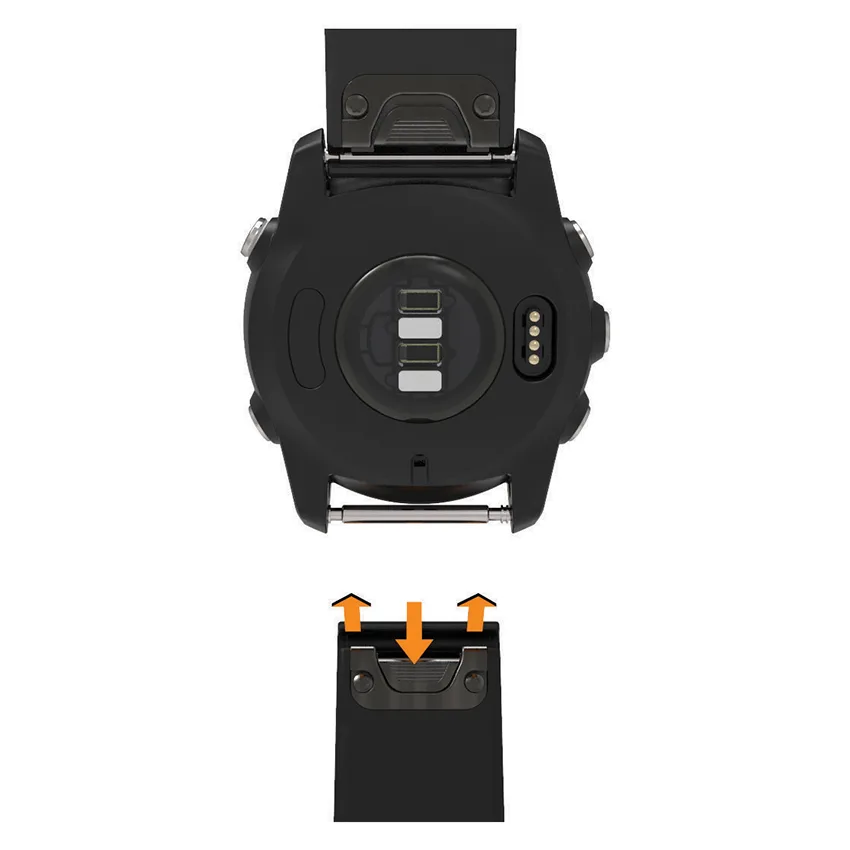
If the band won’t come off, the latch probably isn’t fully open. Slide it all the way across before you lift the band. Don’t try to force it by pulling harder, because that strain goes straight into the small QuickFit tab, and the tab will break long before the watch does.
How to Remove the Forerunner 965 Band
Here’s how to remove a QuickFit band:
- Turn the watch face down on a soft surface so you don’t scratch the face.
- Find the small latch on the QuickFit tab, right where the band meets the case.
- Slide the latch across, toward the middle of the band.
- Lift that end of the band away from the case while holding the latch open.
- Let the latch go and repeat on the other side.
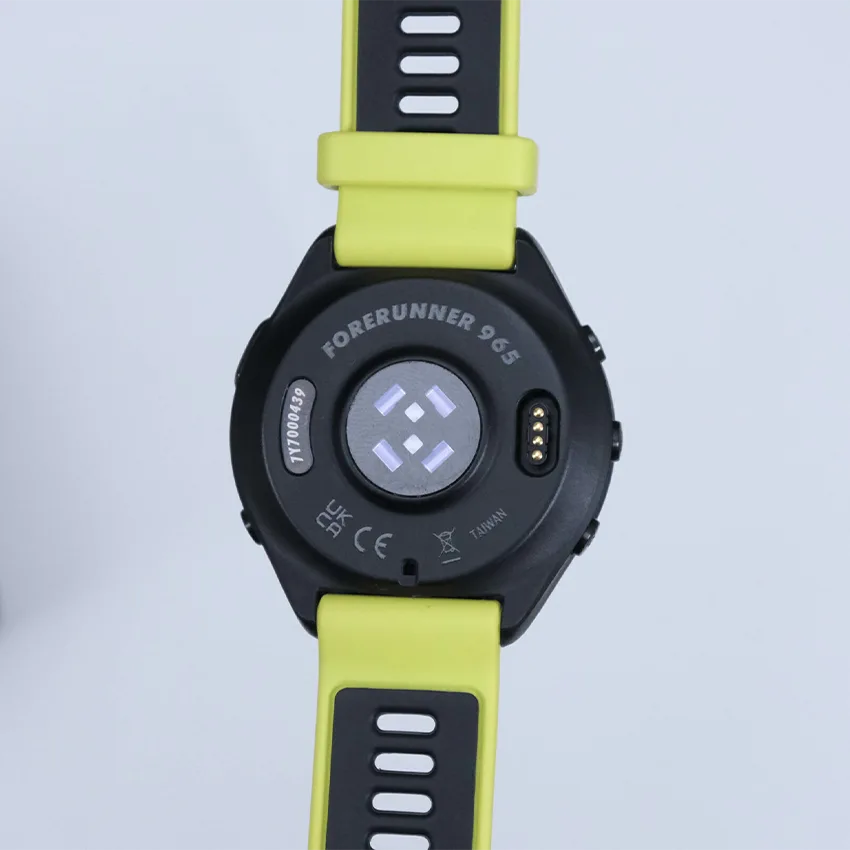
The band should come away without any force. If it doesn’t move once the latch is across, check that the latch is fully open instead of pushing harder on the band.
How to Install the New Forerunner 965 Band
Here’s how to install the new band:
- Check the orientation. The curve follows your wrist, and the buckle sits underneath.
- Line the tab up with the watch pin between the lugs so the band sits square to the case.
- Press the tab down over the pin until the latch closes over it.
- Listen for the click of the tab locking home to confirm it’s securely attached.
- Repeat on the other side, then tug both ends to ensure it’s installed correctly.
Which Other Garmin Bands Fit a Forerunner 965?
The Forerunner 965 isn’t the only Garmin watch that uses QuickFit 22.
The Forerunner 945, Forerunner 955, Forerunner 935, and the Fenix 7 all take QuickFit 22, so their bands would fit your Forerunner 965. These models could all share one band, which is a real advantage of QuickFit.

The Venu 3, on the other hand, uses a 22mm quick-release connector, so its bands won’t fit your Forerunner 965 even though the width matches. That’s why it’s worth checking the connector, not just the width.
Our QuickFit 22 range sorts everything by connector rather than by model, which gives you a full variety of QuickFit 22 bands without having to select your exact model.
Troubleshooting Common Band Swap Issues
These three problems cover nearly every snag after a Forerunner 965 band swap.
The Band Rattles Against the Case
The tab hasn’t seated fully, or it has softened with age. Pull the band off, refit it, and listen for the click on both sides. If it still moves once both ends are properly in, the tab itself is worn and the band needs replacing rather than refitting. Once a tab begins moving, it will only get worse with more wear.
The Latch Feels Stiff
New QuickFit tabs are tight, and they loosen after a few swaps. Use steady pressure and continue working on it using your finger or nail. Applying too much pressure or using tools could bend the latch.
The Band You Bought Won’t Go In at All
Check the end of the band first. It should be 22mm wide and end in a flat QuickFit tab, not a metal bar with a lever. If either the width or the connector is wrong, it won’t fit your Forerunner 965.
Band Care and When to Replace
Rinse after swimming in chlorine or salt water or after a hard session, and let it dry before putting it back on. Sweat sitting in the tab is what can wear it down over time, and the tab is the part carrying the load.
Every few months, check the QuickFit tabs for wear. Hold the watch case steady in one hand, then gently wiggle the band right next to the connector with the other. A tab in good shape doesn’t move at all. If you feel any wiggle or hear a rattle, the tab is wearing out.
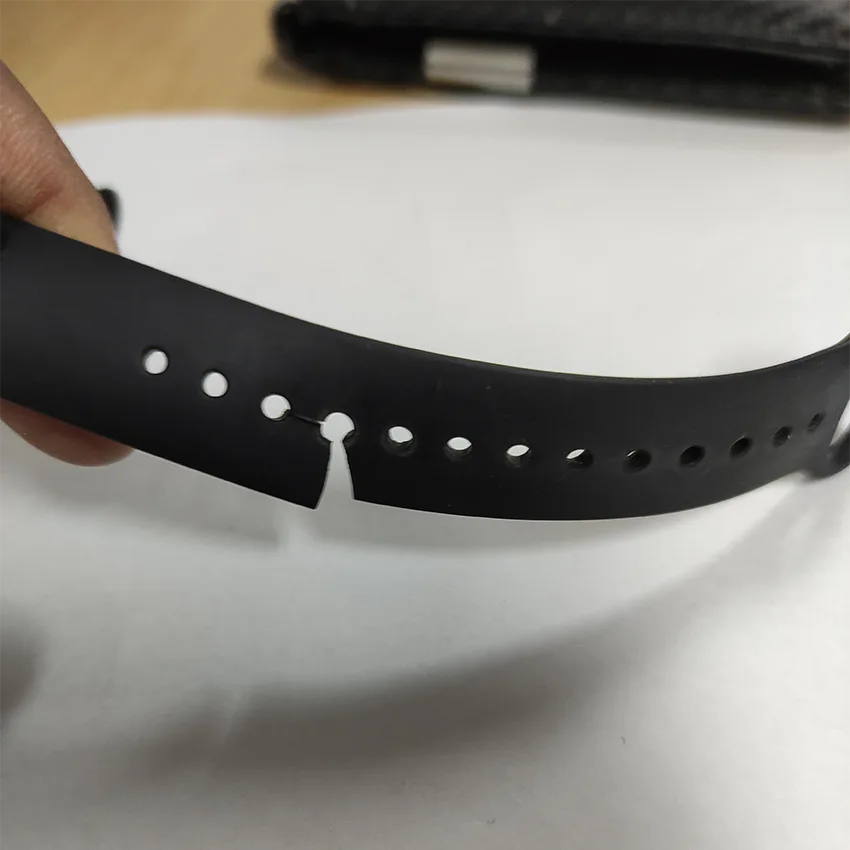
Replace the band when the tab is no longer a solid fit and wiggles, when the material goes tacky or splits, or when the holes have stretched enough that it doesn’t sit comfortably anymore.
Where to Get a Replacement Band
Since any QuickFit 22 band fits, you aren’t limited to what came in the box or to Garmin’s own range.
Because the tab does the work, you get to pick the material purely on how the watch is used. Silicone and FKM rubber are the everyday choice for watches you train with, because sweat runs off them and they’re easy to clean under a tap in seconds. Nylon is best for hot weather and long runs because it wicks moisture and dries quickly. Leather and metal are better choices when you’re traveling or at the office.
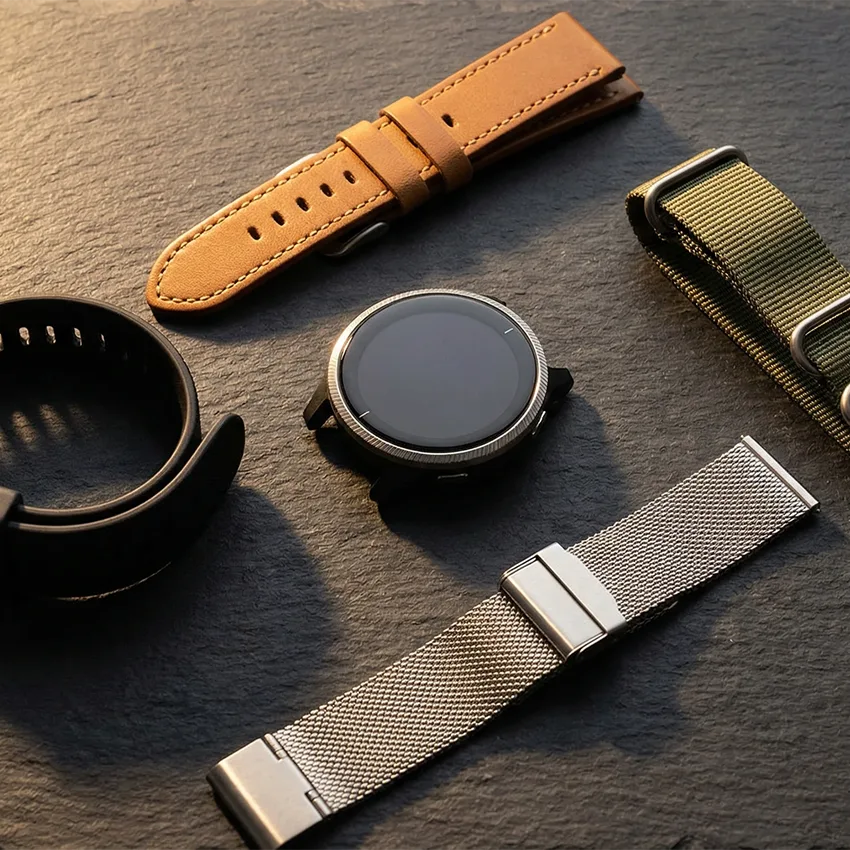
At the end of the day, the best watch strap for your Garmin is the one that suits your lifestyle.
Your Forerunner 965 Swap Is Done
The Forerunner 965 is one of the easier Garmin models to swap straps on: one case size, one band type, and no tools needed. Once you’ve found the latch, a swap takes seconds, so it’s easy to keep one band for training and another for everyday wear. Just make sure any new band ends in a QuickFit 22 tab. When you’re ready for your next one, browse our Garmin Forerunner 965 bands to find the right fit.
Frequently Asked Questions
How do you remove a Forerunner 965 band without a tool?
Turn the watch face down and look at the underside of the QuickFit tab where the band meets the case. There’s a small sliding latch there, flush with the surface and easy to miss. Slide it toward the middle of the band and lift that end clear, then repeat on the other side.
What size band does the Garmin Forerunner 965 take?
QuickFit 22. Garmin makes the Forerunner 965 in one case size at 47.2mm, so there are no smaller or larger variants. Just make sure the listing says QuickFit rather than quick-release, because both come in 22mm and only one of them attaches to this watch.
Will a 22mm quick-release band fit the Forerunner 965?
No. The width is right, and the fitting is wrong. Quick-release bands end in a thin metal bar with a lever and sit on ordinary lugs, while your watch needs a QuickFit tab that clicks over the watch pin.
Where can I get a replacement band for a Forerunner 965?
Anywhere that sells QuickFit 22, which is a much bigger pool than Garmin’s own range. The one thing to check on any listing is that the band ends in a flat tab rather than a metal bar with a lever, because plenty are titled for this watch and photographed with the wrong connector. Our Forerunner 965 straps, from silicone to leather, all click right into the QuickFit 22 connector.
Do Forerunner 955 or 945 bands fit the Forerunner 965?
Yes, both do. The Forerunner 945 and the Forerunner 955 are QuickFit 22, exactly like the Forerunner 965, so their bands go straight on. Fenix 7 bands fit as well for the same reason. It’s worth knowing if there’s more than one Garmin in the house, because you can share bands between them rather than buying twice.