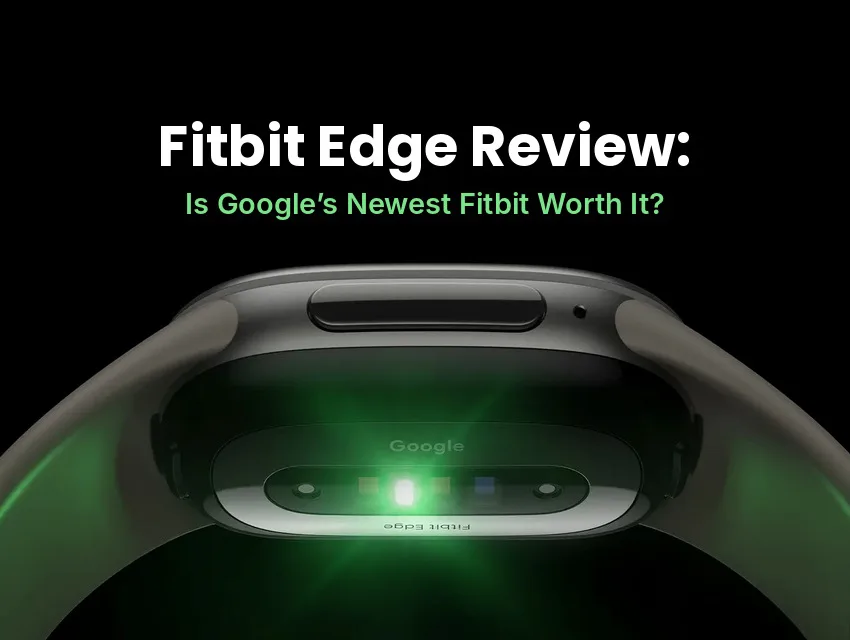
Google’s newest Fitbit is finally here. The Google Fitbit Edge fitness tracker is the first new Fitbit tracker with a screen since the Charge 6, and it offers a bigger screen, more accurate built-in GPS, a user-replaceable battery, and Google’s AI coach. It also drops a couple of features longtime Fitbit fans will miss.
I’m no stranger to Fitbit. I loyally wore my Fitbit Blaze until I upgraded to the Fitbit Versa 2, which I used for years before switching to Garmin for its app integrations. I’ve always loved the Fitbit interface for tracking my workouts, sleep, and step challenges. While I have experience with Fitbit’s smart watches and app, this is my first dive into its slim, tracker-style models.
I wore the Fitbit Edge every day and night for a week, through Zumba, Pilates, a treadmill run, walks, and rest days, to see whether this new Fitbit for 2026 lives up to the hype. Here’s my full Fitbit Edge review.
Key Takeaways
- Is it worth it? For most people who want a slim, comfortable tracker with a screen, yes. It’s a worthy upgrade to Fitbit’s line of trackers.
- Price: $179.99 USD. Google Health Premium, which unlocks the AI coach, is free for three months, then $99.99 USD a year.
- Battery: Google rates it at up to 7 days, and mine lasted a full week with battery to spare.
- Comfort: It’s light and slim enough to forget it’s there, even overnight.
- Missing: There’s no NFC, the near-field communication chip behind contactless payments, and no EDA, or electrodermal activity, stress sensor.
- Bands: Charge 6 bands don’t fit, because the Edge uses a new band attachment.
At a Glance: Pros & Cons
Pros
These are the Edge’s biggest strengths:
- Bright AMOLED screen that’s 45% larger than the Charge 6’s
- Very comfortable for all-day and all-night wear
- Excellent battery life, plus fast charging
- Built-in GPS with a new, more accurate chipset
- Automatic workout detection
- Genuinely useful AI coaching with Premium
Cons
These are the trade-offs to know about:
- The coach and deeper insights need a Premium subscription
- No contactless payments of any kind
- No EDA stress tracking
- Overestimated distance on the treadmill
- Old Charge 6 bands won’t fit
What Is the Fitbit Edge?
The Fitbit Edge is Google’s newest Fitbit, a slim fitness tracker with a 1.34-inch AMOLED touchscreen. It sits between the screenless Fitbit Air and the Pixel Watch in Google’s lineup. Think of it as a fitness band that shows your stats on your wrist, without the bulk or the daily charging of a full smart watch.
Fitbit Edge release date: Google announced the Edge on October 12, 2026. It was the second Fitbit new product launch of the year, following the Fitbit Air in May. Pre-orders opened right away, and it began shipping on October 27, 2026.
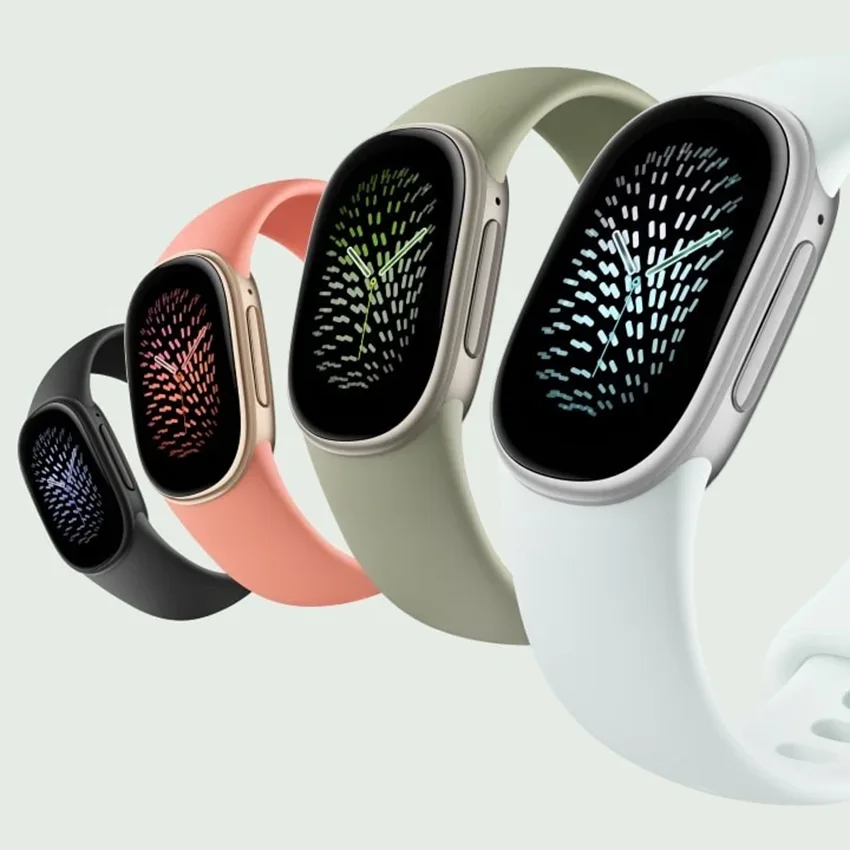
Fitbit Edge fitness tracker pricing: At launch, the Edge costs $179.99 USD. It comes in four colors: matte black, satin silver, satin pyrite, and champagne gold.
Is This the Fitbit Charge 7 We’ve Been Waiting For?
In everything but name, this is the successor to Fitbit’s Charge 6. There’s no official Fitbit Charge 7, but the Edge takes the Charge 6’s place as Google’s main screen-equipped fitness tracker, at a price about $20 higher than the Charge 6 launched at.
Google hasn’t said why it retired the Charge name. While it’s not a completely different device, enough has changed in the Edge that I’d consider it a full redesign rather than a refresh. In my opinion, the new name also reflects Google’s rebranded lineup, which now includes the Google Fitbit Air and the Google Health app.
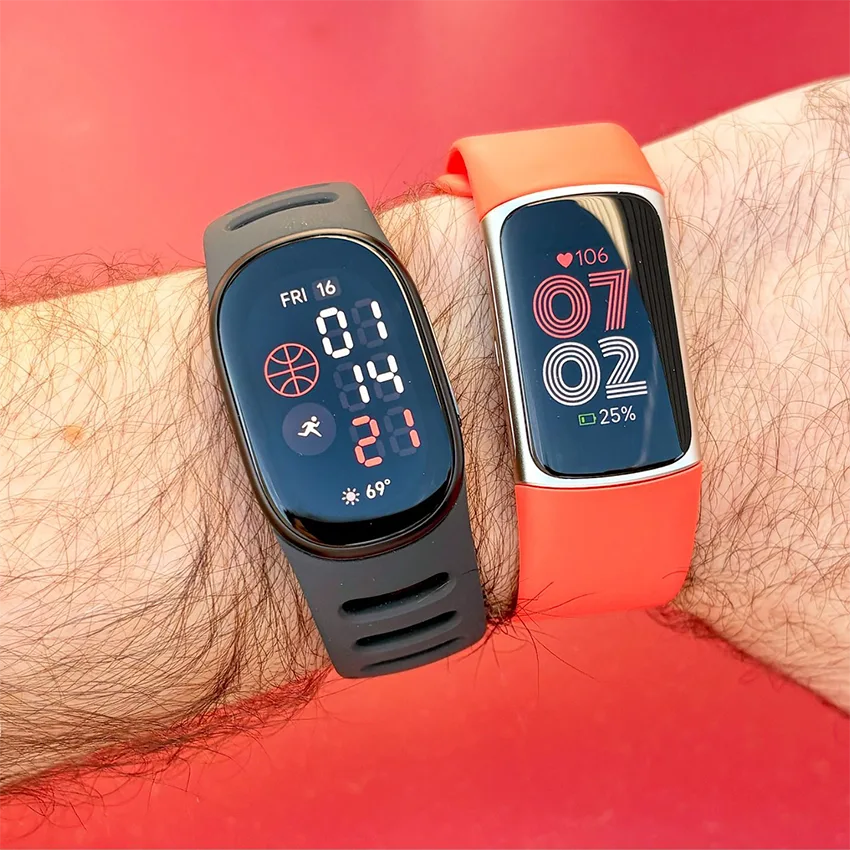
Here’s what’s new compared with the Charge 6:
- A 45% larger AMOLED display
- A physical side button instead of the Charge 6’s haptic button
- A new GPS chipset that uses multiple satellite systems, which Google says is about 40% more accurate
- An altimeter for elevation and floors climbed
- Fast charging and a user-replaceable battery
- A new band attachment
What’s improved: Automatic workout recognition now covers up to 100 workout types.
What’s gone: NFC for contactless payments and the EDA Scan stress sensor. During workouts, heart rate is also recorded every two seconds instead of every second. If tap-to-pay or EDA scans matter to you, keep that in mind before upgrading.
Design, Comfort, and Bands
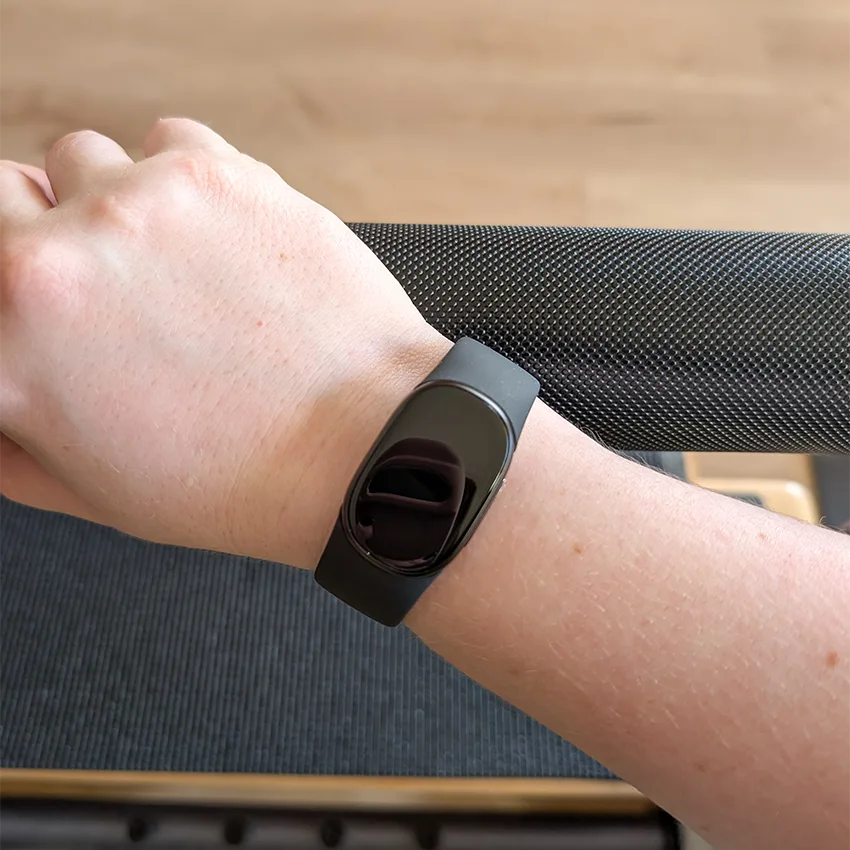
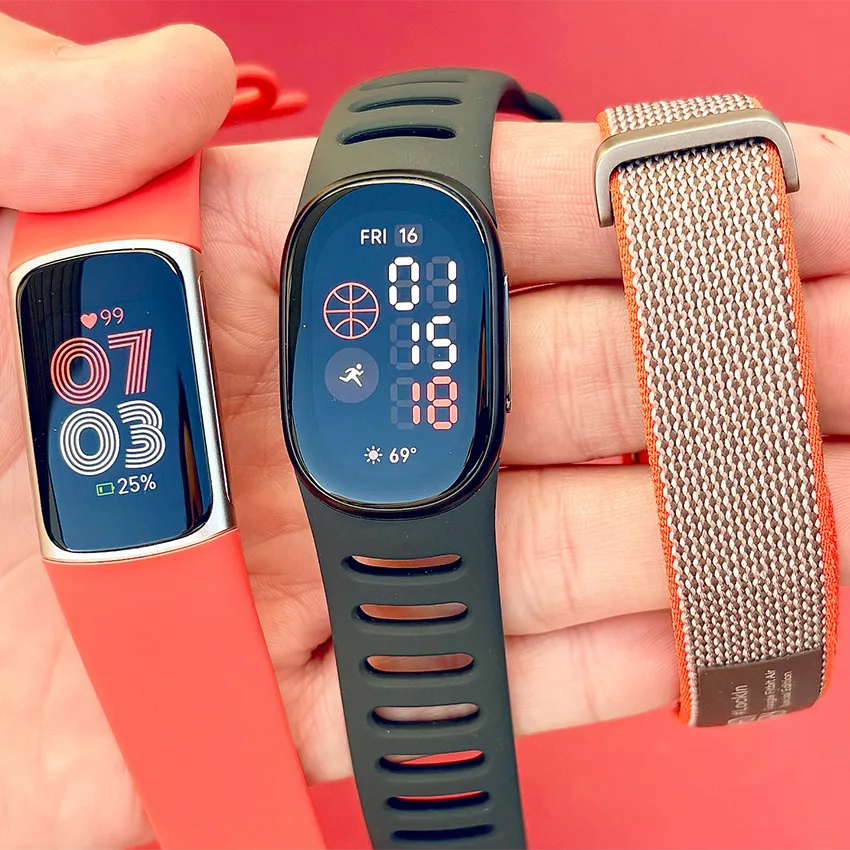
The first thing I noticed was how light the Edge is. The recycled aluminum case weighs just 17.7g without the band and is 11.58mm thick. I wore it on the opposite wrist from my Garmin, and honestly, I forgot I was wearing it most of the time. It never felt tight or cut off my circulation, even during workouts when my wrists were bent and bearing weight.
The slim, pill-shaped screen is bright and easy to read mid-workout, both on a dark evening walk and outdoors in the sun.
It comes with Google’s silicone Active Band, which has a soft-touch coating. It’s comfortable and form-fitting. As with any silicone band, some moisture got trapped underneath after a sweaty workout, but it dried quickly.
The box includes both a small and a large band. The large one left a long tail sticking out on my wrist and didn’t have a snug fit, so I swapped to the small one. Changing the band is easy. Use a fingernail to press the button where the band meets the case, and the band pops out. The replacement band snaps right in.
The Fitbit Edge uses a new band attachment, so Fitbit Charge 6 bands won’t fit. The upside of a new connector is a fresh range of styles. Beyond the Active Band, Google offers Performance Loop, Magnet, and Metal Links bands.
Setting Up the Fitbit Edge
Setup through the Google Health app took about 30 minutes in total. Right out of the box, the Edge needed a mandatory firmware update, which took around 15 minutes, so plan for it before you head out for a first workout.
After that, setup was simple and took another 15 minutes or so to pair the Edge with my Pixel phone and set it up in Google Health. During setup, I was offered three months of Google Health Premium for free, which I accepted for this review. The app then took me straight into the AI coach to set goals.
Fitness Tracking and GPS
The Edge has more than 50 exercise modes you can start yourself, and it can automatically recognize up to 100 workout types. Over my test week, I logged dancing, Pilates, walks, a treadmill run, and a weights session.
Automatic workout detection isn’t new to Fitbit, but it worked well here. A walk was detected and recorded once it passed about 15 minutes, and it captured the whole walk. Automatically detected walks don’t use GPS, though. To get a mapped route, you need to start the workout yourself.
I also tracked my Zumba class as dancing on the device, and the AI coach automatically counted it toward my Zumba goal in the app, without any manual tagging.
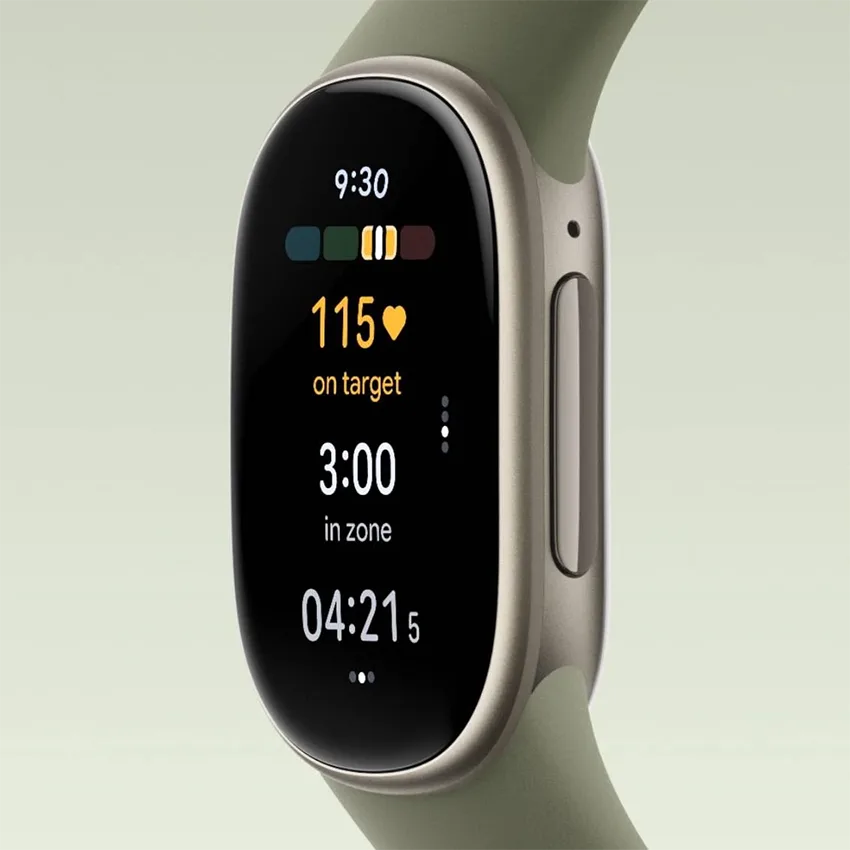
Heart rate and zones: After every workout, the app breaks down your time in each heart rate zone and gives you a cardio load score. It also warns you when your weekly cardio load jumps too fast. After one busy week, mine surpassed my target significantly, earning me an “overreaching” flag, which was a useful nudge to recover.
Treadmill accuracy: On a 34-minute treadmill run, the Edge logged 2.77km, while the treadmill’s own display showed 2.5km. The pace on my wrist also read faster than the treadmill’s. That’s a common problem with wrist-based trackers indoors, since they estimate treadmill distance from your arm movement rather than GPS. I often have to calibrate my Garmin runs to match the treadmill data too. Distance tracking was more accurate on my outdoor walks.
Does the Fitbit Edge Have GPS?
The Edge has built-in GPS, so you can track outdoor walks, runs, and rides without your phone. Google says its new multi-satellite GPS chipset is about 40% more accurate than the Charge 6’s.
I started a GPS walk manually for about 25 minutes. The mapped route followed the street I walked cleanly, and the app color-coded it by pace and by heart rate zone. It also recorded elevation gain and my average stride length. The elevation graph showed brief spikes at the very start and end of the walk, but the readings in between looked steady.
Sleep Tracking
I’ve tracked my sleep for years, so wearing a device to bed doesn’t bother me, and the Edge was no exception. It was comfortable enough that I never felt the urge to take it off, and I never woke up with cut-off circulation. It tracked every night of my test.
The Edge uses body signals like heart rate and movement to estimate when you’re in light, deep, and REM sleep. The Google Health app then maps each stage on a timeline and combines it with sleep quality metrics into your Sleep Score. It also picks up naps. Any nap longer than 20 minutes counts toward your total sleep for the day.
Each morning, the Google Health app gives you a Sleep Score out of 100, rated Excellent at 90–100, Good at 80–89, Fair at 60–79, or Poor below 60, alongside a breakdown of what affected it.
The breakdown includes these factors:
- Sleep efficiency
- Time in REM, light, and deep sleep, mapped on a timeline
- Time awake and restlessness through the night
- Time to sound sleep and total sound sleep
- Average sleeping heart rate
The app compares each metric with your typical range and with benchmarks for people your age and gender, which makes the numbers easier to interpret. With Premium, the coach adds insights on top, such as flagging that my bedtime had varied by over an hour and explaining how that can delay deeper sleep.
I always find sleep tracking a bit hit and miss with fitness trackers, but the Edge’s scores more or less matched how I felt during the day and reflected how rested I was after the previous day’s activities.
Health Features
For a slim tracker, the Edge packs in a lot of health sensors and metrics:
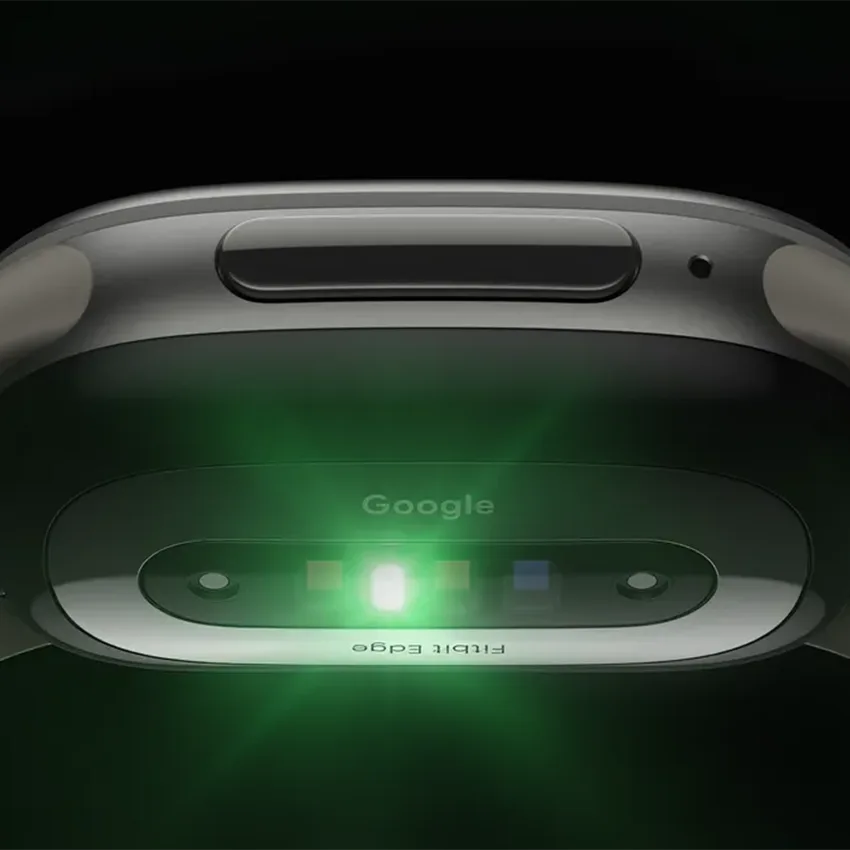
- Optical heart rate for all-day and workout heart rate
- ECG app, short for electrocardiogram, for on-demand heart rhythm readings
- SpO2, or blood oxygen, via red and infrared sensors
- Skin temperature sensor
- Heart rate variability, breathing rate, and resting heart rate
- Cardio load, Active Zone Minutes, steps, floors, and distance
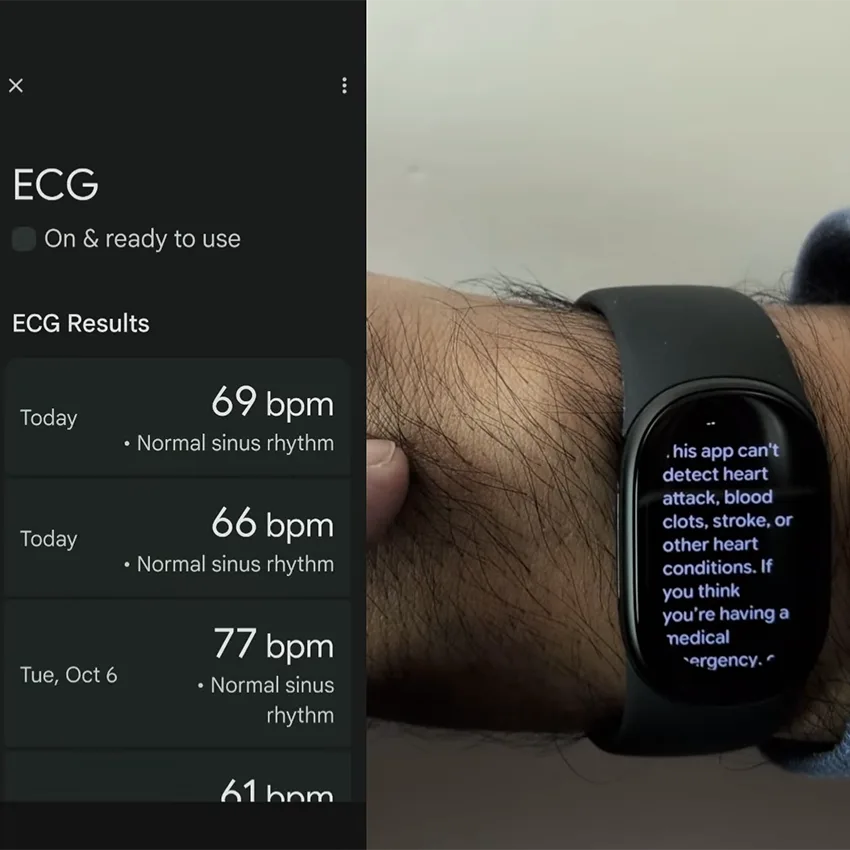
ECG: Taking an ECG reading was easy. I opened the ECG app on the watch, started it in the Google Health app, and held my fingers to the device for 30 seconds. My reading came back as normal sinus rhythm. The app can return three types of results: normal sinus rhythm, atrial fibrillation, also called AFib, or inconclusive. An inconclusive result can mean your heart rate was above 120 bpm or below 50 bpm, or that the device couldn’t get a good reading. The ECG app is only available in select countries, so check that it’s offered where you live.
Health Guardian: Google is also bringing its Health Guardian features to the Edge, including high and low heart rate, irregular rhythm, and breathing emergency alerts. With Premium, Health Guardian also tracks blood pressure and insulin resistance trends. These features started rolling out with the Google Health 5.11 update in late October, and most still showed as “Not available” in the app during my test, so I couldn’t try them yet.
Google Health App Interface
As someone who hadn’t used the Fitbit app in a while, I was curious to see what’s changed now that it’s become Google Health. A few things stood out:
- Four simple tabs: Today, Fitness, Sleep, and Health made it easy to find what I was looking for.
- Customizable tiles: You choose which stats show up front on the Today tab, from steps and heart rate to sleep, Readiness, and SpO2.
- Friend leaderboards: Leaderboards are back, and they now rank friends by cardio load as well as steps.
- Resilience: This replaces the old stress score. Instead of a number, it shows your status as Optimal, Balanced, or Low.
- Nap tracking: Naps longer than 20 minutes now count toward your daily sleep total.
- Medical records: The Health tab has space to bring your medical records into the app alongside your fitness and sleep data.
- Workout library: The Fitness tab includes guided workouts, including Peloton classes, plus the option to have the coach build a workout for you.
Not everything made the move, though. Some classic Fitbit app features, like badges, aren’t part of the new Google Health app.
Google Health Premium and the AI Coach
It’s no surprise that Google found a way to build AI into its Google Health platform, and I found the coach genuinely impressive.
As soon as device setup finished and my Premium trial started, the coach asked about my goals and my current routine. From there, it built a weekly movement plan around what I already do, which for me includes weekly Zumba, Pilates, and running. It also explained what improvements to expect if I stuck with the plan. It remembers your schedule, matches workouts to the right goal automatically, and adjusts its advice based on your sleep and readiness.
After each workout, it writes a short summary highlighting the type of workout, its benefits, and which heart rate zones you were in, such as calling out a “high-intensity treadmill run” with most of the time in vigorous and peak zones. You can also ask the coach questions anytime by text or voice.
Is the AI Coach Free?
The AI coach isn’t part of the free Google Health app. New Edge owners get three months of Google Health Premium free. After that, it’s $99.99 USD a year, or $9.99 a month, unless you cancel.
Without Premium, you keep the core tracking: activity, sleep, heart rate, and basic trends. Here’s what you’d lose:
- The coach and Ask Coach
- Goal-based weekly plans that adapt to your week
- Deeper sleep insights
- Proactive health insights
- Logging with voice, photos, and chat
- Medical record summaries
- Blood pressure and insulin resistance trends
- The workout library and mindfulness sessions
The coach lives in the Google Health app, not on the Edge itself, so it isn’t exclusive to this device.
So is Premium worth it? The coach is one of the most impressive parts of the new platform, but you don’t need it to get a full Fitbit experience. Without Premium, the Edge still gives you its bigger screen, built-in GPS, automatic workout detection, sleep stages and Sleep Score, ECG readings, readiness score, and week-long battery life.
Premium makes the most sense if you want to dig deeper into your data or want a tracker that actively coaches you toward your goals, not just records your workouts. Personally, I was impressed in the first week, but I’d want to see how much the coaching helps over the full three-month trial before deciding whether to pay for it.
Battery Life and Charging
Google rates the Edge at up to 7 days of battery life with the always-on display turned off. In my test, it did better.
I wore it day and night for a full week, including workouts, one GPS-tracked walk, and sleep tracking, and it still had over 25% left at the end. At that pace, you could reasonably expect more than a week between charges with similar use. I kept the always-on display off during my test. With it on, battery life can drop to around two days.
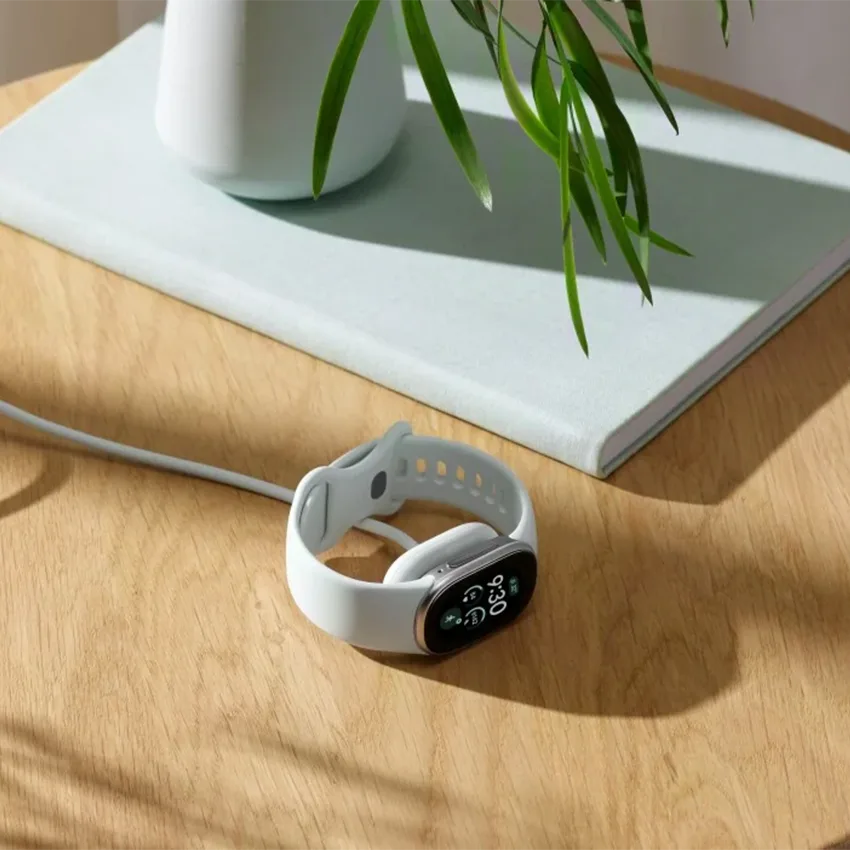
Charging: The Edge uses a magnetic USB-C charging puck, the same one as the Fitbit Air. When I charged it, it went from 65% to 100% in under an hour. Google says a full charge takes about 90 minutes and five minutes of charging gives you up to a day of use. The battery is also user-replaceable, which should help the Edge last longer than most trackers.
Smart Features and What’s Missing
The Edge is a fitness tracker first, not a smart watch. You get call and message notifications, quick replies on Android, media controls, turn-by-turn Google Maps directions on your wrist, and weather on the watch face. I didn’t find the notifications as intrusive as on the smart watches I’ve used before. They were minimal and easy to read at a glance.
Like earlier Fitbit trackers, it has a water lock that stops accidental taps in the shower or pool. On the Edge, it turns on automatically when you start a swim, you can switch it on from the workout controls, and you unlock it by holding the side button for two seconds.
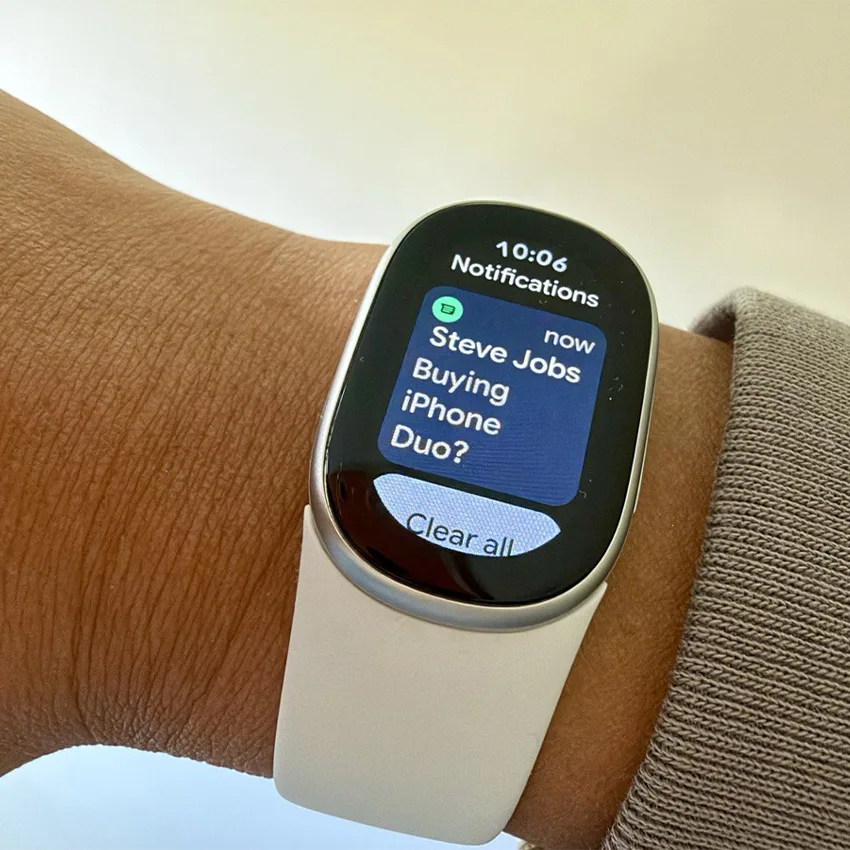
Here’s what’s missing:
- No contactless payments. Unlike the Charge 6, the Fitbit Edge doesn’t have NFC, so it can’t make contactless payments at all, with Google Wallet or any other card or wallet app.
- No EDA stress sensor. Google dropped the Charge 6’s EDA sensor and its on-demand stress scans. The closest replacement is the app’s Resilience status, which uses signals like heart rate variability and sleep to show whether you’re Optimal, Balanced, or Low.
- No quick replies on iPhone. Quick replies only work with Android because of iOS limitations. On an iPhone, you can read messages on the Edge, but you can’t reply to them.
Fitbit Edge vs Charge 6
While it looks similar, the Fitbit Edge is a worthy upgrade to the Charge 6 as a fitness tracker. It has a 45% larger and brighter screen, a more responsive physical button, more accurate GPS, an altimeter, fast charging, and a replaceable battery.
What it gives up is the Charge 6’s “do a bit of everything” extras. Without NFC, you can’t add a card or pay from your wrist at all, and there’s no EDA sensor for stress scans. If you rely on either, the Charge 6 is still the better fit.
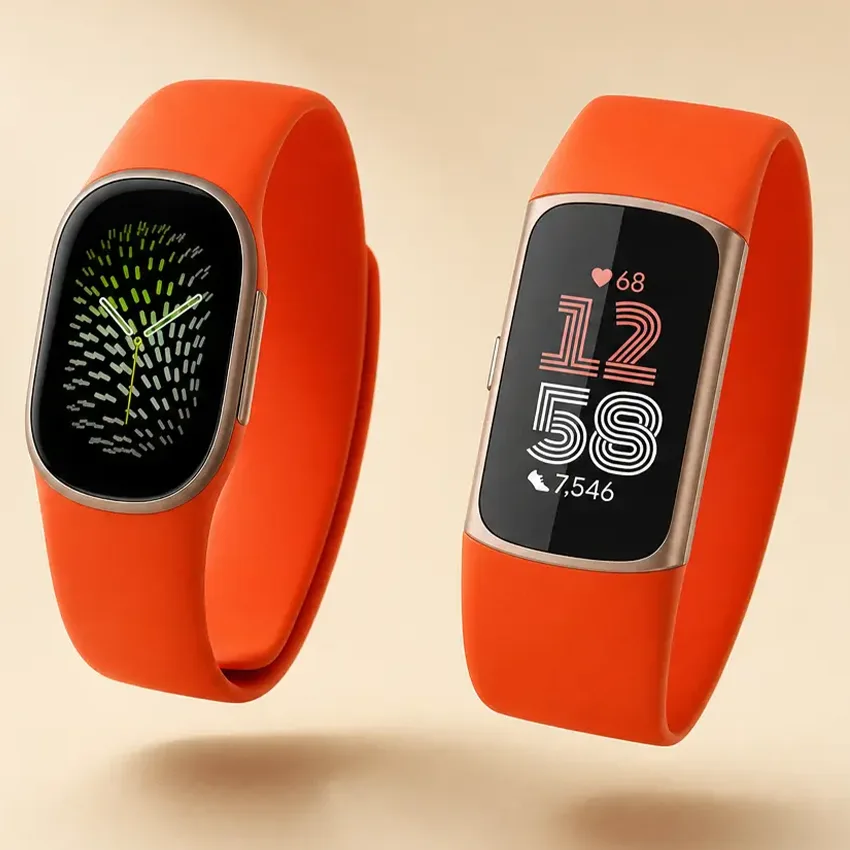
If you mostly care about tracking workouts, sleep, and health, the Edge is the better tracker. Also keep in mind that your Fitbit Charge 6 bands won’t carry over.
Fitbit Edge vs Fitbit Air: Which Should You Buy?
The $99.99 Fitbit Air is Google’s screenless tracker. At about 12g with its band, it’s lighter, more discreet, and $80 cheaper. It shares the same charger and the same 7-day battery rating as the Edge, and it records workout heart rate at the same two-second interval. But it has no screen and no built-in GPS, so you check everything in the app afterward.
Here’s how to choose between them:
- Choose the Fitbit Edge if you want to see live stats mid-workout, get notifications on your wrist, or track outdoor runs without your phone.
- Choose the Fitbit Air if you mainly care about sleep and recovery tracking, want something even less noticeable, or prefer to stay unplugged.
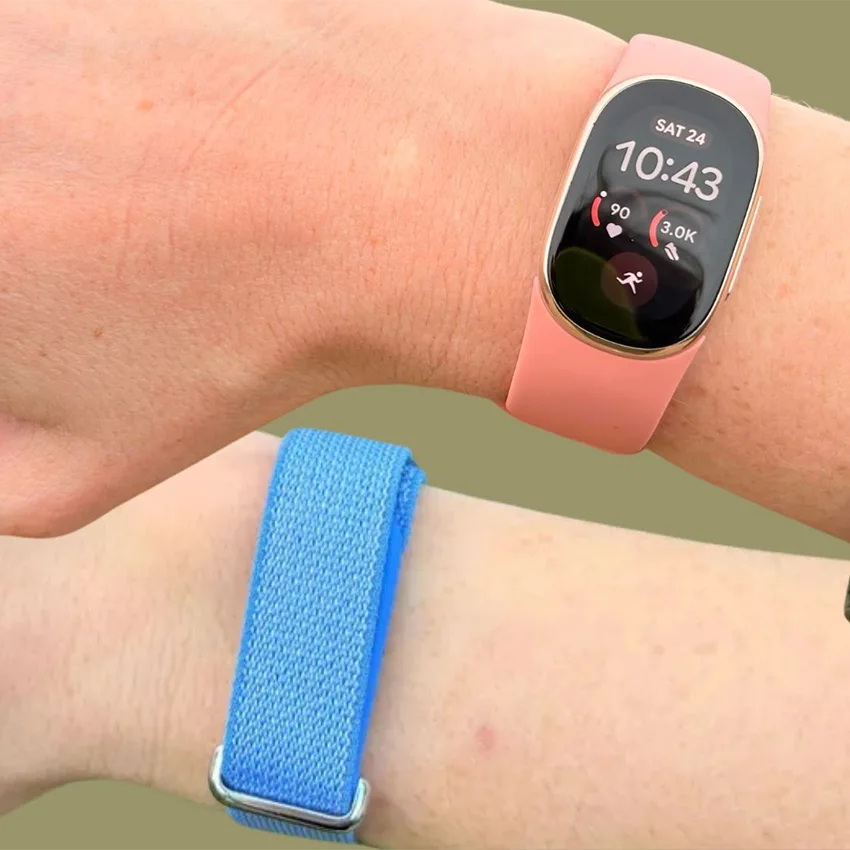
Both are lightweight trackers built for different preferences, especially around how connected you want to be. The Air may be slightly more comfortable to sleep in, but for everyday wear, the comfort should be comparable.
Fitbit Edge vs Charge 6 vs Fitbit Air: Specs
Here’s how the three trackers compare on paper.
| Feature | Fitbit Edge | Fitbit Charge 6 | Fitbit Air |
|---|---|---|---|
| Launch price (US) | $179.99 | $159.95 | $99.99 |
| Display | 1.34-inch AMOLED, always-on option | Smaller AMOLED | None |
| Built-in GPS | Yes | Yes | No |
| Battery (rated) | Up to 7 days | Up to 7 days | Up to 7 days |
| Charging | Full in about 90 min; 5 min ≈ 1 day | Full in about 2 hrs | Full in about 90 min; 5 min ≈ 1 day |
| Water resistance | 5 ATM + IP68 | 5 ATM | 5 ATM |
| ECG app | Yes | Yes | No |
| EDA stress sensor | No | Yes | No |
| NFC / contactless payments | No | Yes | No |
| Button | Physical | Haptic | None |
| Works with iPhone | Yes, no quick replies | Yes | Yes |
Final Thoughts: Is the Fitbit Edge Worth It?
If you’re shopping the new Fitbit 2026 lineup and want a tracker with a screen, the Fitbit Edge is the one to get. For most people, it’s the best Fitbit tracker you can buy right now. It’s comfortable enough to wear around the clock, its battery outlasted my whole test week, and its GPS tracked my outdoor walk cleanly.
The trade-offs are minimal but real. The coach and deeper insights cost $99.99 a year after the free trial, tap-to-pay and EDA stress tracking are gone, and treadmill distance ran high in my test. If you already own a recent Fitbit you’re happy with but want to try the AI coach, you can upgrade to Premium without a new device.
Pick up the Edge if you want a straightforward fitness tracker with a bigger screen, better GPS, and longer-lasting battery. It covers the Fitbit essentials for workouts, sleep, and health in a comfortable, lightweight package.
Frequently Asked Questions
What is the Fitbit Edge?
The Fitbit Edge is Google’s newest Fitbit fitness tracker, launched in October 2026. It has a 1.34-inch AMOLED screen, built-in GPS, up to 7 days of battery life, and AI coaching through Google Health Premium. It replaces the Charge 6 as Google’s main screen-equipped tracker and sits between the screenless Fitbit Air and the Pixel Watch in Google’s lineup.
Is the Fitbit Edge the Fitbit Charge 7?
Effectively, yes. There’s no Fitbit Charge 7, and the Edge replaces the Charge 6 as Google’s main screen-equipped fitness tracker. It’s enough of a redesign to earn a new name, with a 45% larger display, a physical button, more accurate GPS, an altimeter, and a replaceable battery. It also uses a new band attachment, so Charge 6 bands don’t fit.
When does the Fitbit Edge come out?
The Fitbit Edge is already out. Google announced it on October 12, 2026, opened pre-orders the same day, and started shipping on October 27, 2026. It was Google’s second Fitbit launch of the year, following the screenless Fitbit Air in May. It comes in four colors: matte black, satin silver, satin pyrite, and champagne gold.
How much does the Fitbit Edge cost?
The Fitbit Edge costs $179.99 in the US, £159.99 in the UK, and €179.99 in Europe. That’s about $20 more than the Charge 6 cost at launch. Every Edge includes three months of Google Health Premium free, which unlocks the AI coach. After the trial, Premium costs $9.99 USD a month or $99.99 USD a year.
Does the Fitbit Edge have GPS?
Yes. The Fitbit Edge has built-in GPS, so you can track outdoor walks, runs, and rides without bringing your phone. Google says its new multi-satellite chipset is about 40% more accurate than the Charge 6’s. You need to start the workout manually to get a GPS route, since automatically detected workouts don’t use GPS.
Is the Fitbit Edge waterproof?
The Fitbit Edge is water resistant, but it isn’t fully waterproof. It’s rated 5 ATM, which means it can handle pressure equal to a depth of 50 meters, and IP68 for dust. It can track pool and open-water swims, and its water lock turns on automatically when you start a swim so the screen ignores accidental taps.
Does the Fitbit Edge work with iPhone?
Yes. The Fitbit Edge works with iPhones running iOS 16.4 or newer and Android phones running Android 11 or newer. You’ll need a Google Account and the Google Health app to set it up. iPhone users get notifications, workout tracking, and sleep data, but quick replies to messages only work on Android because of iOS limitations.
Does the Fitbit Edge have NFC or Google Wallet?
No. The Fitbit Edge doesn’t have NFC, so it can’t make contactless payments with Google Wallet or any other wallet. That’s a step back from the Charge 6, which supported tap-to-pay. The Edge also lacks the Charge 6’s EDA stress sensor, though the Google Health app’s Resilience status still uses signals like heart rate variability and sleep.
How does the Fitbit Edge measure sleep stages?
The Fitbit Edge uses body signals like heart rate and movement to estimate when you’re in light, deep, and REM sleep. The Google Health app then maps each stage on a timeline and combines it with metrics like sleep efficiency and restlessness into a Sleep Score out of 100. Naps longer than 20 minutes also count toward your daily total.
Do Fitbit Charge 6 bands fit the Fitbit Edge?
No. The Fitbit Edge uses a new band attachment, so Charge 6 bands aren’t compatible. You’ll need bands made specifically for the Edge. The box includes small and large Active Bands, and Google also sells Performance Loop, Magnet, and Metal Links bands. Changing bands is easy: press the release button where the band meets the case, and it pops out.